A website lead feels like progress.
Someone filled out a form, downloaded a guide, requested pricing, asked a question, or showed interest in working with your business.
That’s a good sign, but it’s not the same thing as a booked appointment.
A lead is interest. A booked appointment is commitment.
This is where many small businesses lose opportunities. They get the form submission, but the lead never schedules. They respond too slowly, and there’s no follow-up. They send a booking link, but the prospect doesn’t take action. They assume the problem is traffic, when the real issue is the path from inquiry to appointment.
At AVI Lead Gen, we don’t look at website leads as isolated form submissions. We look at them as part of a larger lead generation system.
Your website should not only capture interest. It should help move that interest toward a real conversation.
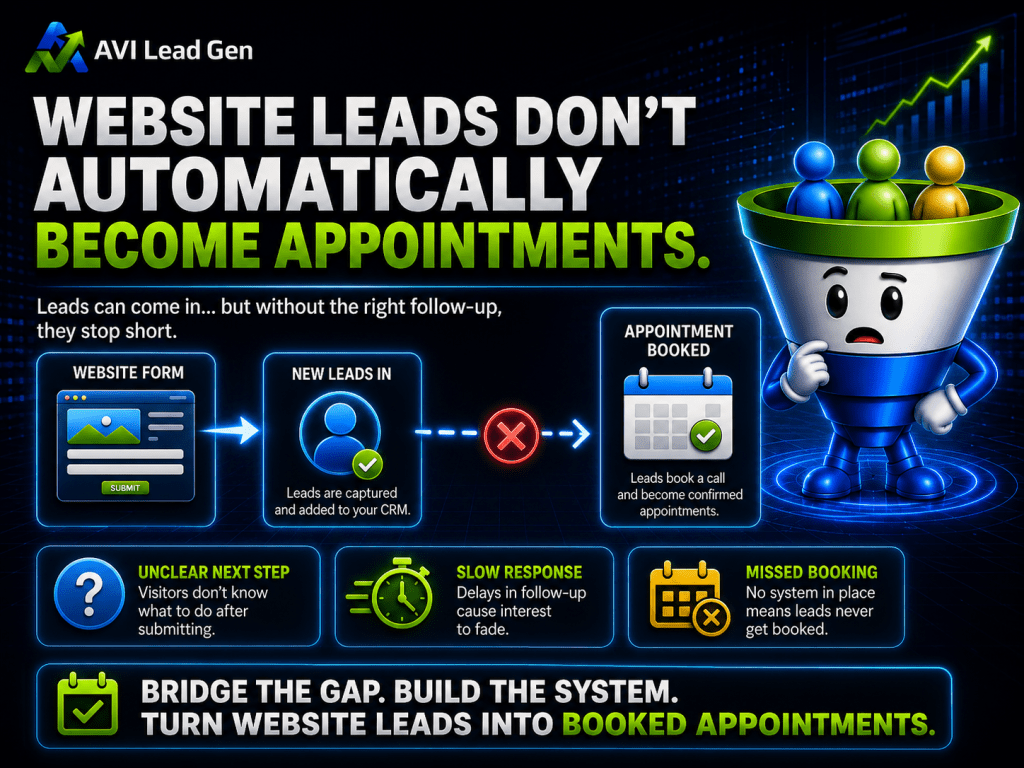
Website Leads Don’t Automatically Become Appointments
Getting a lead is only the first step.
The person who fills out your website form may be interested, but they’re also busy, distracted, comparing options, or unsure what to do next. If the next step isn’t clear, they may never schedule. If your response is slow, they may move on. If your booking process feels confusing, they may stop before choosing a time.
That’s why website leads don’t automatically become booked appointments.
There’s usually a gap between the moment someone reaches out and the moment they actually schedule a conversation.
That gap can be caused by several things:
The confirmation message is weak.
The booking link is buried.
The follow-up depends on someone remembering to send it.
The lead isn’t qualified before being asked to book.
The business responds too slowly.
The booking page doesn’t explain the value of the appointment.
No reminders are sent after the appointment is scheduled.
When this happens, businesses often assume they need more leads. Sometimes they do, but many times they need a better system for converting the leads they already have.
A lead generation website should do more than collect contact information. It should help guide the prospect toward the next logical step.

To Convert Website Leads You Need a Connected System
A booked appointment usually doesn’t happen because of one form, one email, or one calendar link.
It happens because the pieces work together.
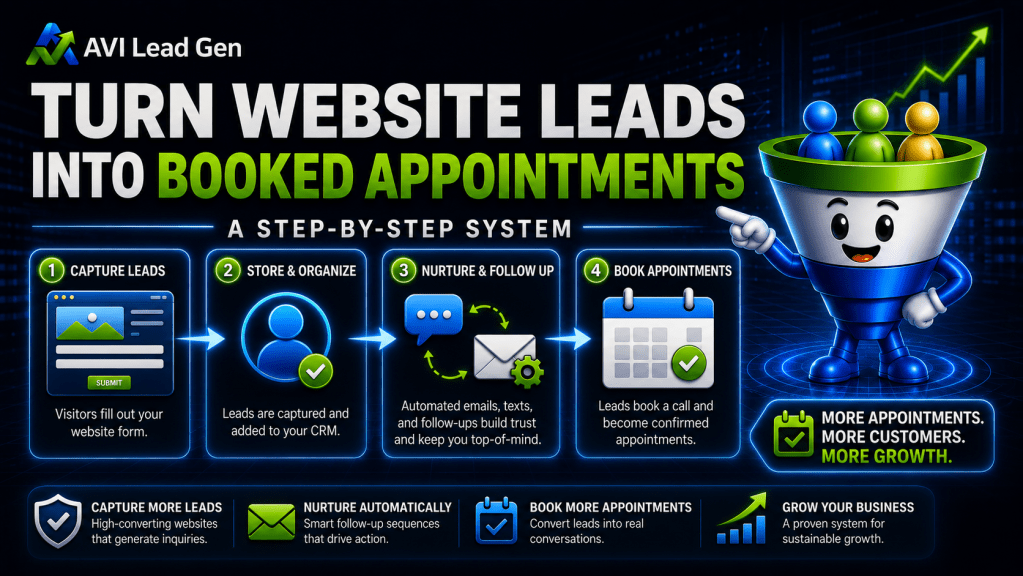
A strong lead-to-appointment system connects your website, lead capture forms, CRM, booking calendar, notifications, follow-up emails, reminders, and tracking.
The process should look something like this:
A visitor submits a form.
They receive an instant confirmation.
The business gets notified.
The lead is added to the CRM.
The lead is tagged or segmented.
The system determines the next step.
Qualified leads are guided toward booking.
Non-booked leads receive follow-up.
Booked appointments receive confirmations and reminders.
The business tracks what happened.
That’s the difference between having a website form and having a lead generation system.
A contact form alone collects information. A connected system is how to convert leads into customers.

A Realistic Example
Imagine a local service business gets 20 form submissions in a month.
At first glance, that sounds encouraging. The website is getting attention, and people are reaching out.
But when the owner reviews the month, the numbers don’t feel as strong.
Five leads booked appointments right away.
Ten received one manual email but never responded.
Three were followed up with several days later.
Two were never contacted at all.
The owner starts thinking, “We need more traffic.”
But traffic may not be the main issue.
The real issue is that the lead-to-appointment process is inconsistent.
Now imagine the same 20 leads going through a connected system.
Every lead receives an instant confirmation.
The business is notified right away.
Each lead is added to the CRM.
High-intent leads are routed toward booking.
Leads who don’t book receive a short follow-up sequence.
Booked appointments receive confirmations and reminders.
The business can see where leads are dropping off.
The number of leads didn’t change.
The system did.
That’s why when you turn website leads into booked appointments, it’s not only about getting more people to your site. It’s about making sure the people who already raise their hand have a clear path forward.
The Step-by-Step Appointment Booking System Strategy
Turning website leads into booked appointments works best when each step supports the next one.
The goal isn’t to chase every lead manually. The goal is to create a clear path that helps interested prospects move from inquiry to scheduled conversation without confusion, delay, or dropped follow-up.
The system doesn’t need to be complicated, but it does need to be intentional.
Each step should answer one question:
What should happen next?
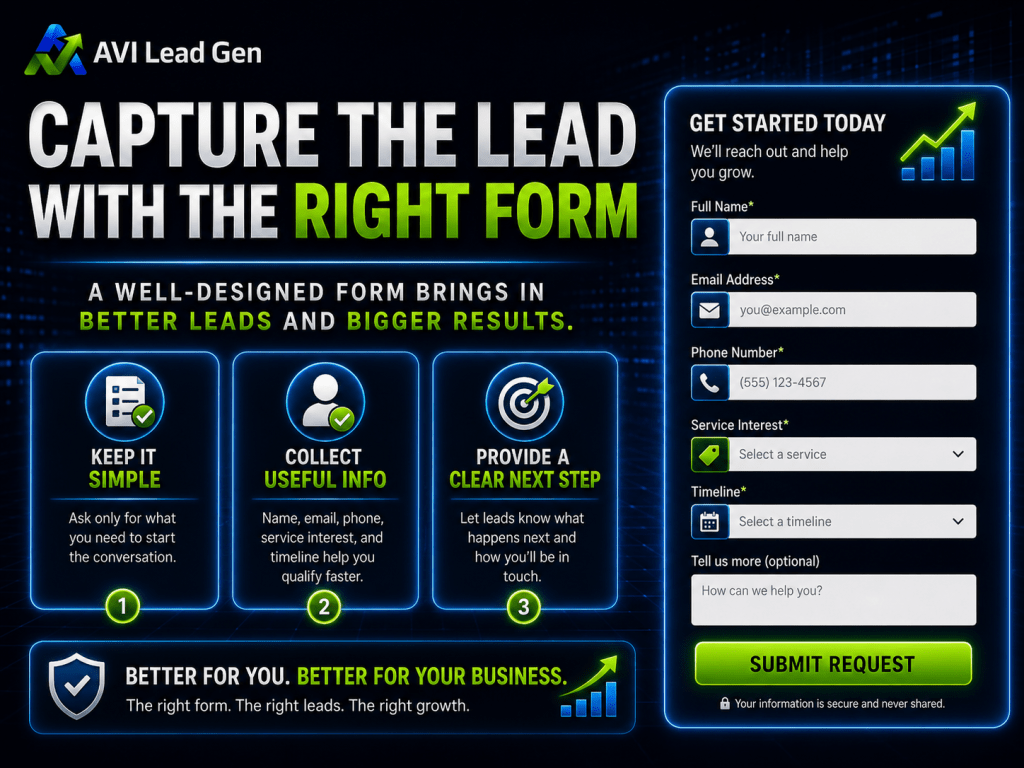
Step 1: Capture the Lead With the Right Form
The process starts with the form.
A website form should be simple enough for someone to complete, but structured enough to give your business useful information.
If the form asks for too much, people may abandon it. If it asks for too little, your team may not know how to follow up.
A strong lead capture form may include:
Name
Email address
Phone number, when appropriate
Service interest
Timeline or urgency
Main challenge or reason for reaching out
Consent checkbox
Hidden source or UTM fields
The right form depends on the offer.
A newsletter signup should be simple. A consultation request can ask for more context. A quote request may need service details, location, timeline, or budget range.
The goal is not to make every form long. The goal is to capture the right amount of information for the next step.
A lead capture form should help your business understand who the lead is, what they need, and how serious the inquiry may be.
Step 2: Confirm the Inquiry Immediately
After someone submits a form, they should not be left wondering whether it worked.
An instant confirmation helps reduce uncertainty and keeps the lead engaged.
The confirmation should tell them:
Their inquiry was received.
What happens next.
How soon they should expect a response.
Whether they can book immediately.
What they should do if their request is urgent.
This confirmation can appear on the website after submission, arrive by email, or both.
For higher-intent leads, the confirmation should often include a clear booking option.
For example:
“Thanks for reaching out. We’ve received your request. The next step is to schedule a quick consultation so we can learn more about your needs and see if we’re a good fit.”
That’s much stronger than a generic “Thank you. We’ll be in touch.”
The confirmation should keep the lead moving.
Step 3: Add the Lead to the CRM
Website leads should not live only in an inbox.
An inbox is easy to miss, hard to organize, and difficult to track. If every lead depends on someone seeing an email at the right time, opportunities can slip through the cracks.
A CRM gives the business a central place to manage leads.
When a lead comes in, the system should store key details like:
Contact information
Form submitted
Page or offer that generated the lead
Source or campaign
Service interest
Lead status
Tags or segments
Follow-up stage
Appointment status
This makes the lead easier to manage.
Instead of wondering whether someone followed up, the business can see where the lead stands. Instead of treating every inquiry the same, the business can segment leads based on interest, source, or urgency.
This is especially important as lead volume grows.
A few manual follow-ups may be manageable. But once a business starts getting leads from multiple pages, forms, campaigns, and sources, organization becomes critical.
The CRM is what helps turn scattered inquiries into a managed pipeline.
Step 4: Notify the Right Person
A lead can’t be handled quickly if no one knows it came in.
That’s why internal notifications matter.
When a new lead submits a form, the right person should be notified quickly with enough context to take action.
A useful internal notification should include:
The lead’s name
Contact information
The form they submitted
The service or topic they’re interested in
Their message or challenge
The lead source, when available
The recommended next step
This is where many businesses unintentionally slow themselves down.
A lead comes in, but it goes to a general inbox. Someone sees it later. Another person assumes someone else handled it. The follow-up gets delayed.
A simple notification system can prevent that.
The goal is ownership.
Someone should know the lead came in, what the lead needs, and what should happen next.
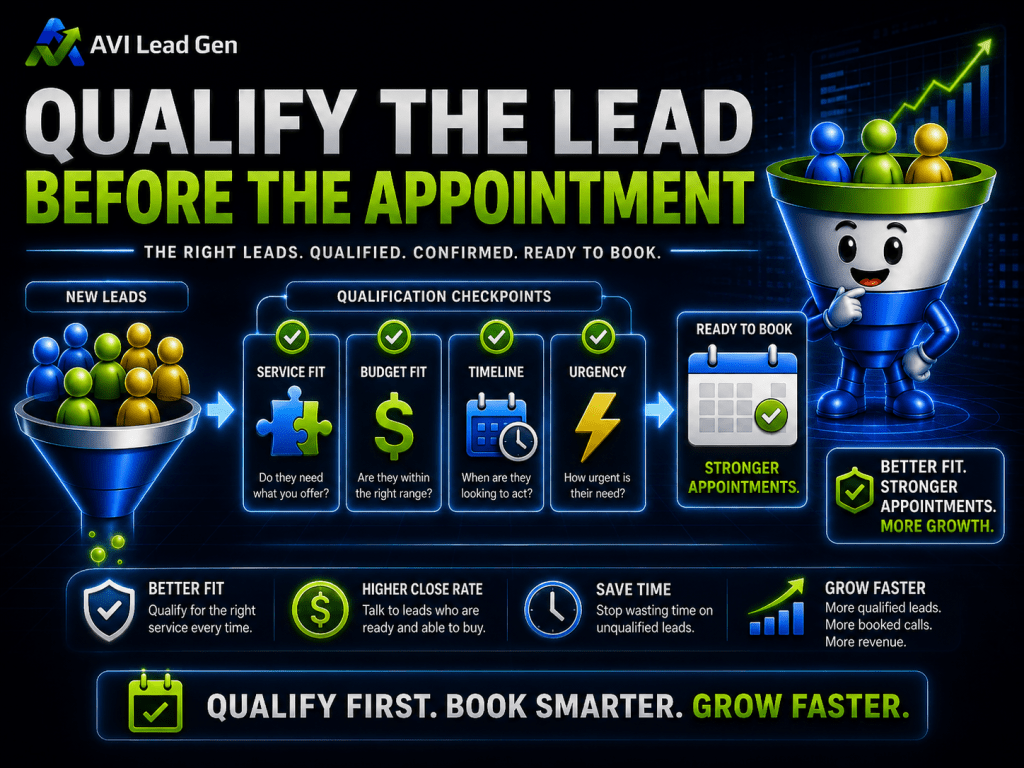
Step 5: Qualify the Lead Before the Appointment
Not every website lead should automatically become an appointment.
That may sound counterintuitive, but it matters.
More appointments are not always better if they’re filled with poor-fit leads, unclear inquiries, or people who were never serious about taking the next step.
A stronger system helps qualify leads before they consume time on the calendar.
Qualification can include:
Service fit
Location fit
Budget fit
Timeline
Problem seriousness
Decision-maker status
Urgency
Type of help needed
This doesn’t mean you need to make the process difficult. It means your form, follow-up, and booking path should help identify whether the lead is a reasonable fit.
For some businesses, qualification may happen through form questions. For others, it may happen through a short email sequence, a pre-call questionnaire, or a booking page that clearly explains who the appointment is for.
The point is simple:
Booked appointments should be useful conversations, not random calendar slots.

Step 6: Give the Lead a Clear Booking Path
This is the core of the appointment booking system.
Once someone has shown interest, they need a clear way to schedule the next step.
The booking path should be easy to understand and easy to complete.
To convert website leads, a strong booking path should include:
A clear appointment name
A short explanation of what the call is for
The length of the appointment
Available time slots
Calendar sync
Mobile-friendly scheduling
Confirmation message
Rescheduling option
Reminder messages
The booking page should also explain the value of the appointment.
A lead is more likely to book when they understand what they’ll get from the conversation.
For example, “Schedule a Consultation” is fine, but it may not be enough by itself.
A stronger booking page might explain:
“This call is designed to understand your goals, review your current lead generation setup, and identify whether AVI Lead Gen is a good fit to help you improve your website, follow-up, and appointment booking process.”
That gives the prospect context.
It tells them why the appointment matters.
It also helps reduce hesitation.
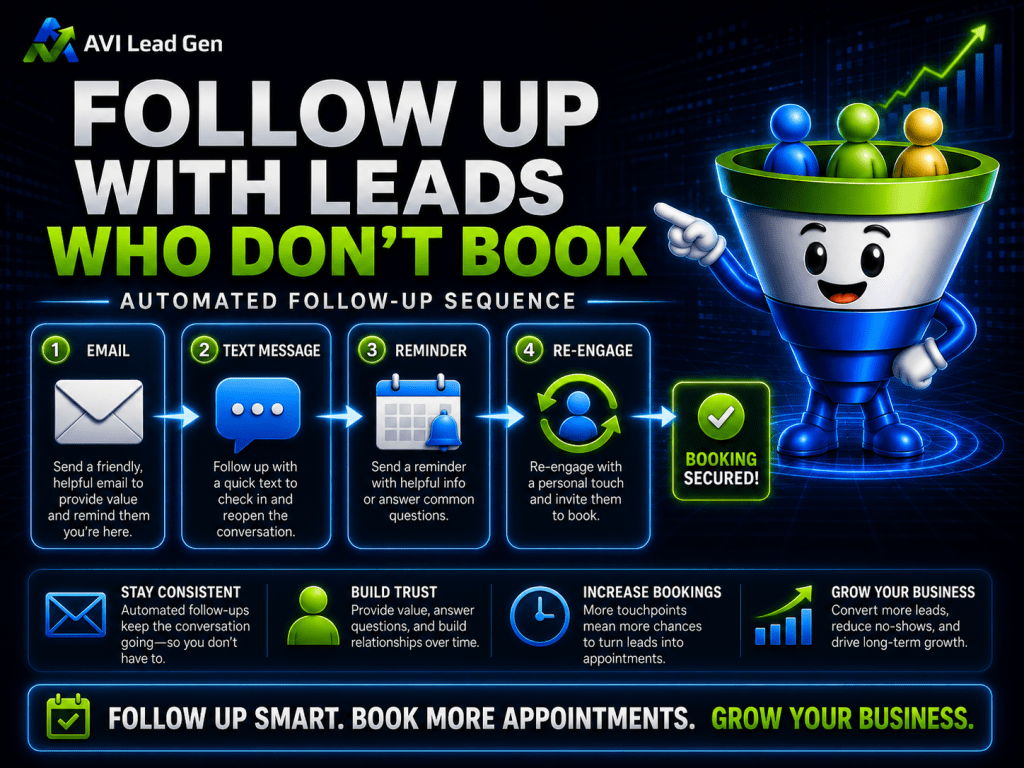
Step 7: Follow Up With Leads Who Don’t Book
Not every interested lead will book immediately.
Some people get distracted. Some need time. Some want to compare options. Some opened your confirmation email but didn’t click the calendar link. Some intended to schedule later and forgot.
That’s why follow-up matters.
A lead who doesn’t book right away should not disappear from the system.
A simple follow-up sequence might look like this:
Immediate confirmation with booking link
Same-day reminder or helpful follow-up
One-day follow-up
Three-day value email
Final booking nudge
The goal is not to pressure people.
The goal is to keep the next step clear while interest is still active.
A good follow-up email can remind the lead why they reached out, restate the value of the appointment, and make booking easy.
For example:
“Just checking back in. If you’re still looking for help improving your website lead flow, you can schedule a quick consultation here. We’ll use the call to learn more about what’s happening now and whether there’s a clear next step.”
That’s useful. It’s not aggressive. It gives the prospect a clear path.
Follow-up is where automation can protect opportunities that would otherwise be forgotten.
Step 8: Send Confirmation and Reminder Messages
Getting someone to book is important, but the system shouldn’t stop there.
The next goal is to help them show up prepared.
Once an appointment is scheduled, the lead should receive:
A confirmation email
A calendar invite
Appointment details
Reminder messages
A rescheduling link
Preparation instructions, when needed
Contact information if they have questions
This reduces confusion and lowers the chance of no-shows.
It also creates a better experience.
A prospect should not have to wonder when the meeting is, where the link is, who they’re speaking with, or what they need to prepare.
The appointment confirmation should make the next step feel clear and professional.
For some businesses, SMS reminders may also be useful. For others, email and calendar reminders are enough.
The right reminder setup depends on the business, the audience, and the type of appointment.

Step 9: Track Lead-to-Appointment Conversion
You can’t improve what you can’t see.
If your website is getting leads but appointments are inconsistent, you need to know where the drop-off is happening.
Track numbers like:
Website visitors
Form submissions
Confirmation email opens
Booking link clicks
Appointments booked
No-shows
Appointment outcomes
Closed opportunities
A lead generation audit helps you see the real bottleneck.
If visitors aren’t submitting forms, the issue may be website conversion.
If forms are coming in but few people book, the issue may be the booking path or follow-up.
If appointments are booked but many people don’t show, the issue may be reminders or pre-call expectations.
If appointments happen but don’t turn into customers, the issue may be qualification, offer fit, or sales process.
Without tracking, it’s easy to guess wrong.
A business may spend money trying to get more traffic when the real issue is a bottleneck where existing leads aren’t being guided into appointments.
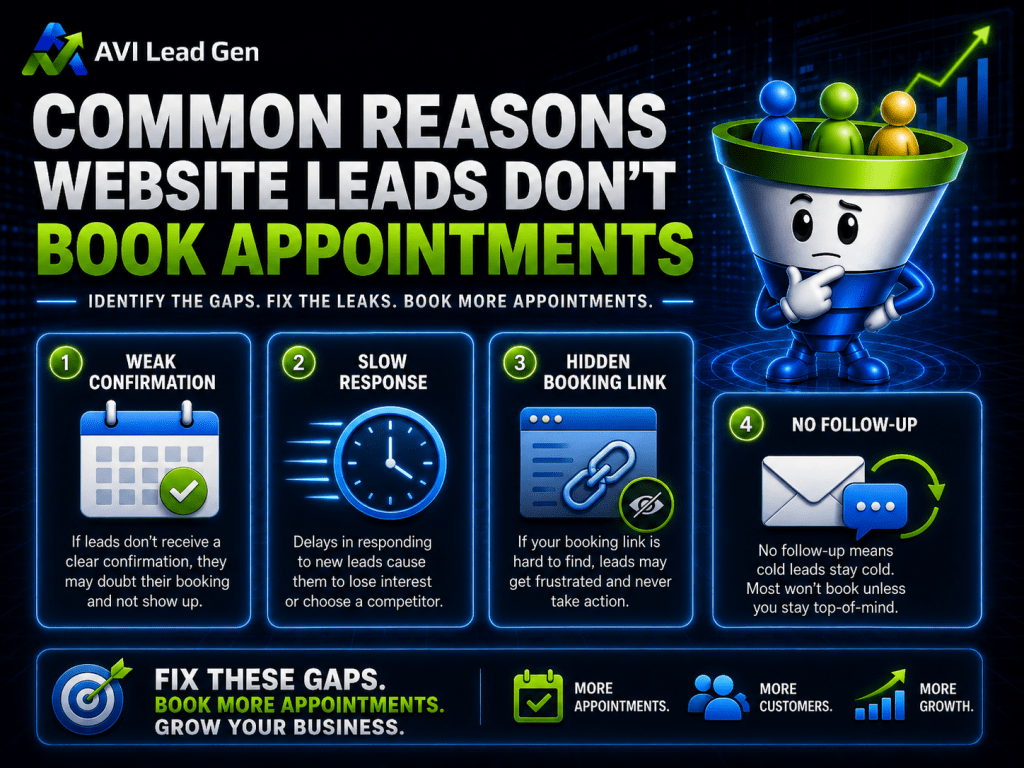
Common Reasons Website Leads Don’t Book Appointments
When website leads don’t turn into booked appointments, there’s usually a reason.
The form may not set up the next step.
If someone fills out a form and receives a vague confirmation, they may not know what to do next.
The response may be too slow.
Even interested leads can go cold when there’s a long delay between inquiry and follow-up.
The booking link may be hard to find.
If the calendar link is buried in an email, hidden on the website, or surrounded by unclear instructions, people may not take action.
The booking page may not explain the value of the call.
People are more likely to schedule when they understand what the appointment is for and why it’s worth their time.
Follow-up may stop after one message.
One email is easy to miss. A short follow-up sequence gives the lead more than one chance to move forward.
There may be too few available time slots.
If your calendar only offers limited availability, interested prospects may give up.
The business may not be tracking drop-offs.
Without tracking, it’s hard to know whether the problem is the form, follow-up, booking page, reminders, or sales process.

Where Automation Helps
Automation is useful because it protects the process.
It makes sure the right things happen even when the business is busy.
Automation can help with:
Form confirmations
CRM entries
Tags and segmentation
Internal notifications
Booking links
Follow-up sequences
Appointment reminders
No-show recovery
Lead status updates
Source tracking
This doesn’t mean automation replaces human follow-up.
It means automation supports it.
The system can confirm the inquiry, organize the lead, send reminders, and keep the next step visible. Then the business can step in with personal follow-up where it matters most.
That’s the right balance.
Automation protects consistency.
Human follow-up builds trust.
Where Human Follow-Up Still Matters
Some leads need more than an automated email.
Human follow-up still matters when the lead asks a specific question, shares a detailed situation, or appears to be a strong fit.
It also matters when the service requires trust before someone is willing to book.
For example, a prospect may not schedule immediately because they’re unsure whether your business can help. A personal response can answer their question, clarify the next step, and give them confidence to book.
Human follow-up is especially valuable when:
The lead is high intent.
The lead asks a direct question.
The inquiry involves a larger purchase decision.
There’s confusion before booking.
The prospect needs reassurance.
The service requires a relationship-based sale.
The goal is not to automate every conversation.
The goal is to automate the parts of the process that should be consistent, then use human follow-up where it can make the biggest difference.
How to Know If Booking Is Your Bottleneck
If your website is producing leads but not enough appointments, booking may be the bottleneck.
Here are signs to look for:
You’re getting form submissions, but few appointments.
Leads click emails but don’t schedule.
Prospects say they meant to book but forgot.
Booking links are getting clicks, but calendar submissions are low.
Appointments are booked, but no-shows are high.
Your team is manually chasing leads without a clear process.
You don’t know which leads were followed up with.
You can’t easily track the path from form submission to appointment.
These signs don’t always mean the whole system is broken.
They may mean one part of the system needs to be tightened.
Maybe the confirmation message needs a stronger booking CTA. Maybe the calendar page needs clearer positioning. Maybe follow-up needs to continue beyond the first email. Maybe the CRM needs better tagging and lead status tracking.
The key is to identify where leads are stalling.
Once you know that, you can fix the right part of the system instead of guessing.
The Bottom Line
A website lead is only the beginning.
To turn website leads into booked appointments, you need more than a contact form and a calendar link.
You need a connected process that captures the lead, responds quickly, organizes the contact, qualifies interest, gives the prospect a clear booking path, follows up consistently, and tracks what happens next.
That’s how a website becomes part of a real lead generation system.
More traffic can help, but traffic alone won’t fix a broken lead-to-appointment process.
If people are already raising their hand, the next question is whether your system is helping them take the next step.
Ready to Turn More Website Leads Into Booked Appointments?
AVI Lead Gen helps small businesses build lead generation systems that connect website forms, CRM automation, follow-up, booking, reminders, and tracking.
If your website is getting leads but those leads aren’t consistently turning into booked appointments, the issue may not be traffic alone.
It may be the system between the form submission and the calendar.
Ready to stop guessing and build a lead generation system that works around the clock?
AVI Lead Gen helps small businesses capture leads, automate follow-up, and turn more website visitors into real opportunities.
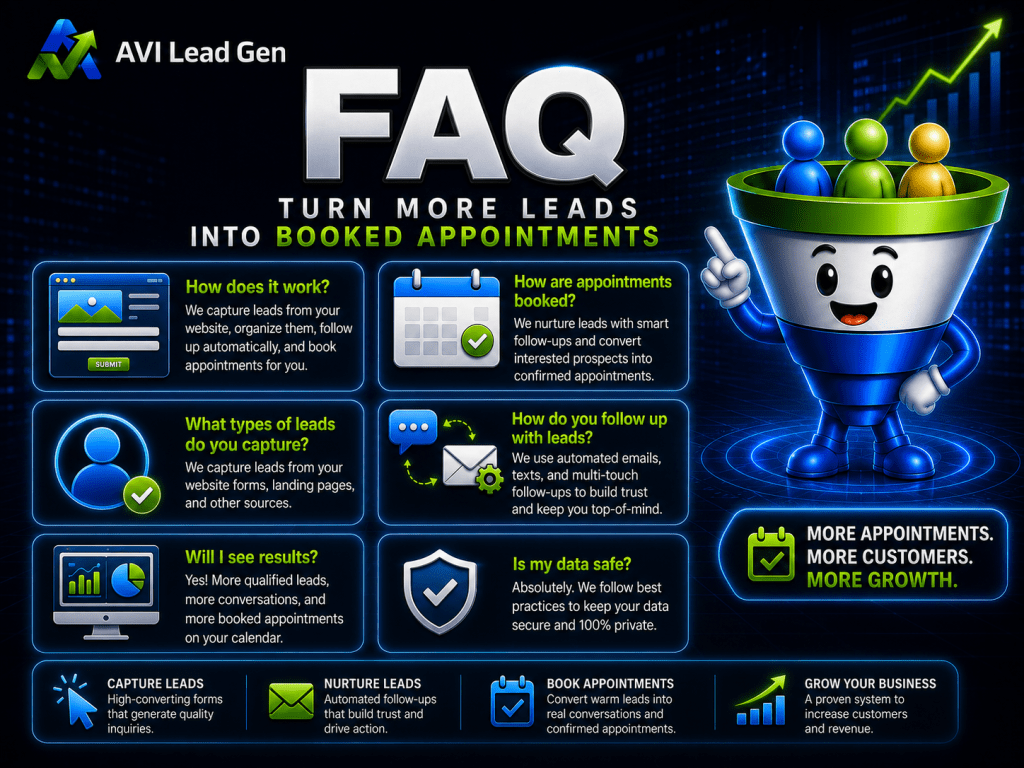
FAQ
How do you turn website leads into booked appointments?
You turn website leads into booked appointments by creating a clear process after the lead submits a form. That process should include instant confirmation, CRM entry, internal notifications, qualification, a clear booking path, follow-up reminders, and appointment tracking.
Why do website leads fail to book appointments?
Website leads often fail to book appointments because the next step isn’t clear, the business responds too slowly, the booking link is hard to find, or follow-up stops after one message. Leads can also fail to book when the appointment page doesn’t explain the value of the call.
Should every website lead be sent to a booking calendar?
Not always. Some leads are ready to book immediately, while others may need qualification first. A stronger system helps identify which leads should be routed directly to booking and which ones need more information, follow-up, or filtering before taking up time on the calendar.
How quickly should you follow up with website leads?
You should follow up with website leads as quickly as possible, ideally within minutes. Fast follow-up helps protect the lead’s interest while the business is still top of mind. Even if a personal response takes longer, the system should send an immediate confirmation and clear next step.
Can automation help book more appointments?
Yes. Automation can help turn more leads into booked appointments by sending instant confirmations, adding leads to the CRM, triggering follow-up emails, delivering booking links, sending reminders, and tracking lead status. Automation works best when it supports, not replaces, personal follow-up.
What should be included on a booking page?
A booking page should include the appointment name, purpose of the call, expected length, available time slots, calendar details, confirmation message, rescheduling option, and any preparation instructions. It should make the value of the appointment clear so the lead understands why scheduling matters.
How do you follow up with leads who don’t book?
You can follow up with leads who don’t book by sending a short sequence of helpful reminders. This might include an immediate confirmation, a same-day reminder, a next-day follow-up, a value-based email, and a final booking nudge. The goal is to keep the next step clear without pressuring the prospect.
What metrics should you track for lead-to-appointment conversion?
Track website visitors, form submissions, booking link clicks, appointments booked, no-shows, appointment outcomes, and closed opportunities. These metrics help you see where leads are dropping off and whether the bottleneck is traffic, website conversion, follow-up, booking, qualification, or sales.