

A new lead feels like progress.
Someone visited your website. They filled out a form, requested information, asked about pricing, or showed interest in booking a call.
That’s a good sign.
But the opportunity isn’t secure yet.
A lead is still just a moment of interest. If your business responds quickly, that moment can turn into a conversation. If your response is slow, the opportunity may cool off, contact someone else, or forget why they reached out in the first place.
That is why lead response time matters.
Many small businesses spend time and money trying to get more traffic, more form submissions, and more inquiries. But if prospects aren’t handled quickly after they come in, the system can leak opportunities.
At AVI Lead Gen, we believe lead response time should not depend on luck, memory, or whoever happens to check the inbox first. It should be part of the lead generation system.
Your website, forms, CRM, booking tools, notifications, and follow-up automation should work together so new prospects are acknowledged quickly and guided toward the next step.

Lead Response Time Is a System Issue
When businesses respond slowly, it’s easy to blame effort.
Someone forgot.
Someone was busy.
Someone missed the email.
Someone meant to follow up later.
Those things happen, but they’re usually symptoms of a weak system.
If new leads only arrive in a crowded inbox, delays are likely. If no one is assigned to respond, leads can sit too long. If there’s no CRM, tracking becomes messy. If there’s no automated confirmation, the people may wonder if the form worked. If there’s no reminder, follow-up depends entirely on memory.
That’s the real issue.
Lead response time isn’t only about how fast one person replies.
It’s about whether the business has a process that protects the opportunity from the moment it arrives.
A strong lead response system should answer:
Who received the lead?
Was the lead confirmed instantly?
Was the business notified?
Did the contact enter the CRM?
What source did the lead come from?
Who’s responsible for follow-up?
What happens if the lead doesn’t respond?
How is the outcome tracked?
Without those answers, lead response becomes inconsistent.
And inconsistent follow-up is one of the most common bottlenecks in a lead generation system.

Why Fast Lead Response Matters
When someone contacts your business, they’re usually in a moment of intent.
They have a problem.
They’re looking for help.
They’re comparing options.
They may be ready to ask questions, request pricing, or schedule a conversation.
That moment doesn’t last forever.
The longer a person waits, the more likely they are to lose momentum.
They may contact a competitor. They may get distracted. They may decide the problem is no longer urgent. They may assume your business is too busy or unorganized. They may forget what they submitted.
A fast response helps keep the conversation alive while interest is still high.
That doesn’t mean everyone has to be closed immediately. It means the prospect should feel acknowledged, guided, and clear about what happens next.
The first response can be simple.
“Thanks for reaching out. We received your request and will follow up shortly.”
That alone is better than silence.
But the strongest systems go further. They confirm the request, notify the business, capture the lead in the CRM, and give the prospect a clear next step.
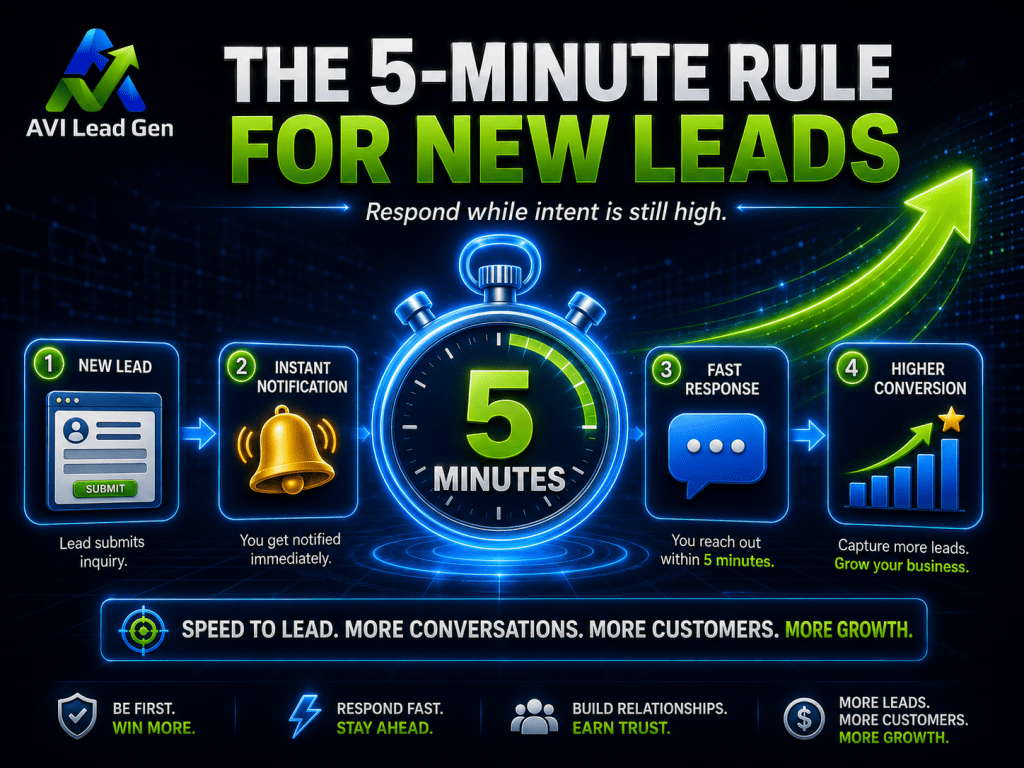
The 5-Minute Rule for New Leads
You’ve probably heard that businesses should respond to new leads within five minutes.
The point isn’t that five minutes is magic.
The point is that buyer intent fades quickly.
When someone fills out a form, they are actively thinking about the problem. They may still be on your website. They may still have your service page open. They may still be comparing providers.
If your business responds while that attention is fresh, you have a much better chance of starting a real conversation.
If the first response happens hours later, the prospect may have moved on.
For most small businesses, the goal should be:
Instant automated confirmation.
Immediate internal notification.
A personal response as quickly as possible.
A clear booking or next-step option.
Follow-up if the contact doesn’t reply.
Five minutes is a useful target, especially for high-intent inquiries.
But the broader goal is building a system that responds immediately in some way, even if the human follow-up happens shortly after.
Fast doesn’t have to mean chaotic.
It means the prospect should never feel ignored.

A Realistic Example
Imagine a local service business gets ten website leads in a week.
That sounds promising.
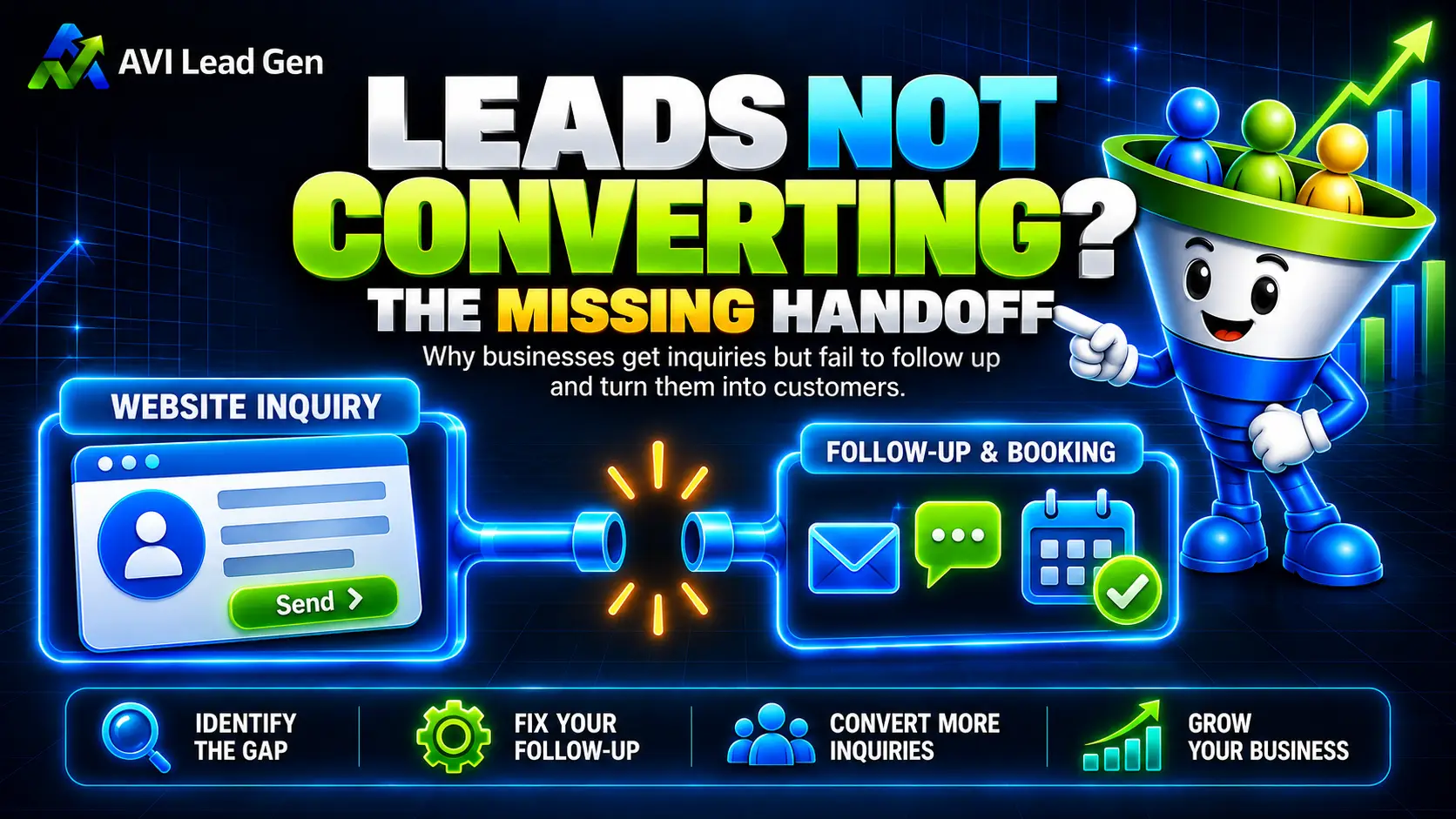
But here’s what happens:
Four leads arrive after business hours.
Three go to a general inbox.
Two get a response the next day.
One lead gets a call, but no follow-up email.
Nobody receives an instant confirmation.
No source information is tracked.
No booking link is included in the first response.
No one follows up with leads who don’t reply.
At the end of the week, only one conversation happens.
The owner may assume the leads were poor quality.
But that may not be true.
The real issue may be the response process.
If those same people received instant confirmation, a fast personal reply, a clear booking link, CRM tracking, and follow-up reminders, more of them may have turned into conversations.
The lead generation problem wasn’t only traffic.
It was what happened after the lead arrived.

Why Most Businesses Respond Too Late
Most businesses don’t respond slowly because they don’t care.
They respond slowly because the process isn’t built for speed.
The owner is busy. The team is helping existing customers. Form submissions go to an inbox that is checked manually. The CRM isn’t connected. No one gets an alert. After-hours leads wait until the next morning. Follow-up depends on memory.
This is especially common for small service businesses.
The business may be good at delivering the service, but not have a clean system for managing new inquiries.
That creates a gap between marketing and sales.
The website may be doing its job by generating interest, but the follow-up system isn’t protecting that interest.
This is why lead response should be built into the system before spending more money on traffic.
More traffic can help, but if peolpe are already coming in and sitting unanswered, traffic is not the first issue to fix.

What a Fast Lead Response Process Looks Like
A fast lead response process doesn’t need to be complicated.
It needs to be clear.
When someone fills out a form, the system should immediately begin moving the prospect forward.
A strong process usually includes these steps:
The contact submits a form.
They receive instant confirmation.
The business receives an immediate alert.
The lead enters the CRM.
The lead source and form details are captured.
The contact is tagged or segmented.
A personal follow-up happens quickly.
A booking link or next step is provided.
Unresponsive leads receive follow-up.
The outcome is tracked.
This is how a form submission becomes a managed opportunity.
The lead doesn’t sit in an inbox.
The business doesn’t have to rely on memory.
The next step is not unclear.
The lead doesn’t disappear after one message.
A fast response process gives every prospect a better chance of becoming a real conversation.

The Lead Response Steps That Protect New Opportunities
A fast lead response process works best when each step supports the next one.
The goal isn’t to overwhelm the business with more tasks. The goal is to make sure every new prospect is acknowledged, organized, and guided forward before interest fades.
When the process is unclear, leads can sit in an inbox, get missed by the right person, or disappear after one unanswered message. When the process is connected, the business knows who the contact is, where they came from, what they need, and what should happen next.
That’s what turns a form submission into a managed opportunity.
The steps below show how to respond faster without creating chaos. Each one helps protect the prospect from going cold and gives the business a clearer path from inquiry to conversation.
Step 1: Confirm the Lead Immediately
The first response should happen instantly.
This can be automated.
A confirmation message lets the contact know their request was received and tells them what to expect next.
That message should be clear and helpful.
For example:
“Thanks for reaching out. We received your request and will review it shortly. If you’re ready to schedule a conversation, you can book a time here.”
That kind of message does several things.
It confirms the form worked.
It reduces uncertainty.
It sets expectations.
It gives the lead a next step.
It keeps momentum alive.
Without an instant confirmation, the person may wonder if anything happened.
That small moment of doubt can weaken the opportunity.
Step 2: Notify the Right Person
The business should know about the lead immediately.
A form submission should not quietly wait in an inbox.
The notification should go to the person responsible for follow-up, and it should include enough context to make the response useful.
That may include:
Name.
Phone number.
Email.
Service interest.
Message details.
Page submitted from.
Lead source.
Urgency.
Booking status.
The notification should also make responsibility clear.
Who owns the next step?
If no one owns the next step, the lead can be missed even if several people saw the notification.
A fast system isn’t just about speed.
It’s about accountability.

Step 3: Capture the Lead in the CRM
New leads shouldn’t live only in email.
They should enter the CRM.
A CRM gives the business a central place to track the contact, manage follow-up, record notes, and see what happened after the first response.
This matters because inboxes are messy.
Emails get buried. Messages get missed. Follow-up gets forgotten. It becomes hard to know which prospects were contacted, which ones booked, which ones went cold, and which ones became customers.
A CRM turns the inquiry into a trackable opportunity.
That allows the business to improve the system over time.
If contacts are coming in but the business can’t see where they are in the process, follow-up will always be harder than it needs to be.
Step 4: Respond Personally While Interest Is High
Automation can confirm the request.
But a real person should still follow up when the lead is a serious opportunity.
The personal response should be fast, relevant, and clear.
A weak response says:
“Thanks, we will get back to you.”
A stronger response connects to what the prospect requested.
“Thanks for reaching out about monthly bookkeeping support. I saw that you’re looking for help cleaning up your books and getting better monthly reports. The next best step is a short conversation so we can understand what you need and whether we are a fit.”
That response feels more personal because it reflects the lead’s actual request.
Fast response matters, but relevance matters too.
The goal isn’t just to reply quickly.
The goal is to start the right conversation.

Step 5: Give the Lead a Clear Next Step
A fast response shouldn’t leave the contact wondering what to do next.
If they’re ready to talk, give them a booking link.
If the lead needs qualification, ask one or two clear questions.
If they requested a quote, explain what information is needed.
If they downloaded a resource, point them toward a helpful next step.
This is where many businesses lose momentum.
They respond, but the next step is vague.
A good lead response should guide the lead toward booking an appointment.
For example:
“You can book a time here.”
“Reply with your preferred timeline and I’ll point you in the right direction.”
“Here are the two details we need before quoting this accurately.”
“If you’re comparing options, this guide may help you understand the process.”
A clear next step keeps the conversation moving.
Step 6: Follow Up With Leads Who Do Not Respond
Not every person will answer the first message.
That doesn’t mean the opportunity is gone.
People get busy. They miss emails. They compare providers. They hesitate. They need another reminder.
A simple follow-up sequence can help protect those opportunities.
It might include:
A same-day response.
A next-day reminder.
A helpful resource.
A final check-in.
A longer-term nurture sequence.
The tone should stay helpful.
You’te not chasing the lead aggressively. You’re making it easy for them to re-engage.
For example:
“Just checking in to make sure you saw my reply. If you’re still looking for help, here’s the easiest way to book a time.”
This kind of follow-up is simple, but many businesses never send it.
That means leads disappear only because the system stopped too early.
Step 7: Qualify the Lead Before the Sales Conversation
Speed matters, but speed without qualification can create wasted time.
Not every prospect should move directly into the same sales process.
Some leads are ready. Some are not. Some are a strong fit. Some are outside your service area, budget range, or core offer.
A strong system uses the early response process to qualify the lead.
That might happen through form questions, a short reply, a booking intake, or CRM tagging.
Qualification can include:
Service need.
Timeline.
Budget range.
Location.
Business type.
Project size.
Urgency.
Fit.
The goal isn’t to create friction for serious buyers.
The goal is to route leads correctly.
High-fit leads should move toward booking. Early-stage contacts may need nurture. Poor-fit leads may need a helpful alternative.

Where Automation Helps
Automation isn’t a replacement for real communication.
It’s a safety net.
It helps make sure the prospect is acknowledged, organized, and followed up with, even when the business is busy.
Automation can help with:
Instant confirmation emails.
Internal notifications.
CRM entry.
Lead tagging.
Source tracking.
Booking links.
Task reminders.
Follow-up sequences.
No-show recovery.
Long-term nurture.
The best automation feels helpful, not robotic.
It should support the human conversation, not pretend to be one.
For example, an automated confirmation can tell the contact what happens next. A CRM task can remind the business to call. A follow-up sequence can keep the conversation alive if the lead doesn’t respond.
Automation works best when it protects momentum.
It makes sure the prospect doesn’t get ignored while the business prepares for a real conversation.
Where Human Follow-Up Still Matters
Automation can help you respond faster.
But the human follow-up still matters.
A serious lead wants to know that someone understands their situation. They may have questions, concerns, timing issues, or doubts that automation can’t fully answer.
This is where the personal response matters most.
A strong human follow-up should:
Reference the contacts request.
Clarify the next step.
Ask useful questions.
Build confidence.
Reduce uncertainty.
Guide the lead toward a decision.
This doesn’t need to be complicated.
It just needs to feel attentive.
The contact shouldn’t feel like they entered a machine.
They should feel like the business is organized, responsive, and ready to help.

How to Know If Lead Response Time Is Your Bottleneck
Lead response time may be the problem if people are coming in but few become conversations.
Look for signs like:
People wait hours or days for a reply.
Form submissions go to a general inbox.
No one owns follow-up.
Leads don’t receive confirmation.
CRM entries are missing or inconsistent.
Booking links aren’t included.
No-shows are common.
Follow-up stops after one message.
The business doesn’t track lead outcomes.
If those issues are present, improving response time may matter more than generating more traffic.
That’s why a lead generation audit can be useful.
It helps you see whether the problem is traffic, website conversion, lead capture, follow-up, qualification, booking, sales, or retention.
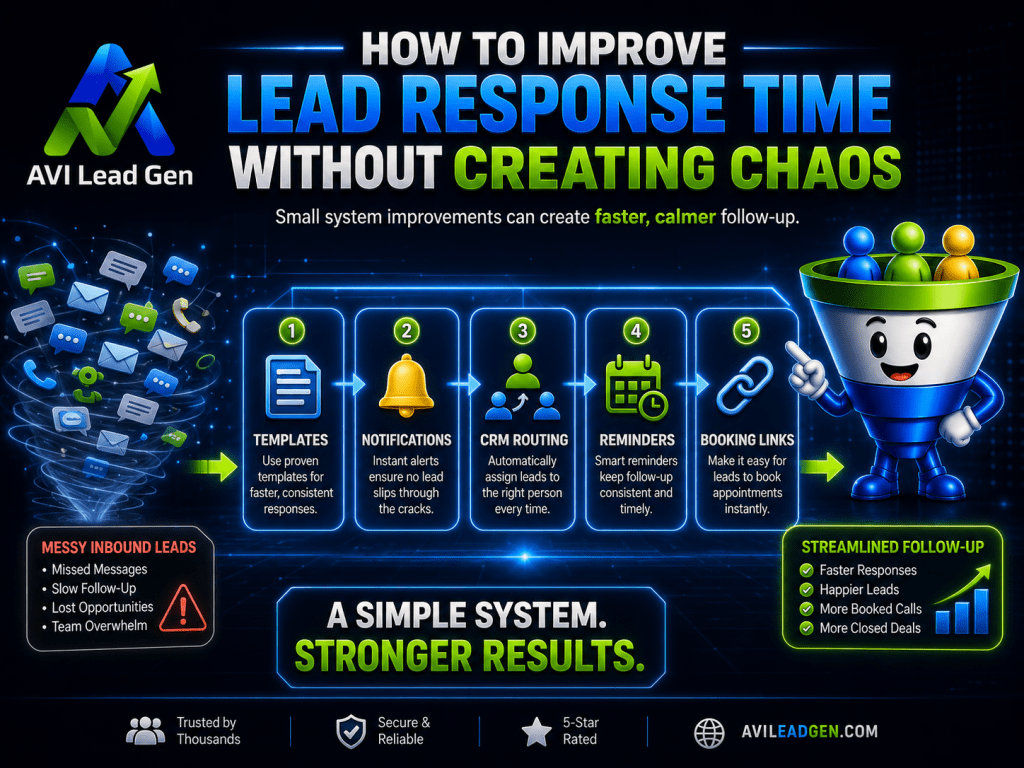
How to Improve Lead Response Time Without Creating Chaos
Responding faster doesn’t mean your team has to drop everything every time a form comes in.
The system should carry part of the load.
Start with simple improvements:
Send instant confirmation emails.
Route notifications to the right person.
Connect forms to the CRM.
Add booking links to first responses.
Create response templates.
Use reminders for uncontacted prospects.
Tag leads by source and service interest.
Set a clear response expectation.
Track whether leads are contacted.
Small improvements can make the system faster without overwhelming the business.
The goal isn’t perfection.
The goal is to reduce delay and make every new contact easier to manage.
If response time is currently inconsistent, start with the basics: confirmation, notification, CRM entry, and a clear follow-up owner.
The Bottom Line
Lead response time matters because interest fades quickly.
When someone fills out a form or requests information, they’re giving your business a moment of attention. What happens next determines whether that moment becomes a conversation or disappears.
Fast response isn’t just about working harder.
It’s about building a better system.
Your website forms, CRM, notifications, booking tools, automation, and follow-up process should work together so new leads are acknowledged quickly, organized properly, and guided toward the next step.
More traffic can help.
But if leads are already coming in and response is slow, the first fix may not be more visitors.
It may be protecting the opportunities you already have.
Want a Faster Lead Response System?
If your leads are coming in but not consistently turning into conversations or appointments, the issue may not be traffic alone.
It may be your lead response system.
Ready to stop guessing and build a lead generation system that works around the clock?
AVI Lead Gen helps small businesses capture leads, automate follow-up, and turn more website visitors into real opportunities.

Frequently Asked Questions
How fast should you respond to a new lead?
A business should respond as quickly as possible, ideally within the first few minutes for high-intent inquiries. At minimum, every prospect should receive an instant confirmation and a clear next step right away.
Why does lead response time matter?
Lead response time matters because prospects are usually most engaged when they first reach out. A fast response helps you start the conversation while interest is high. A slow response gives the contact time to lose urgency, forget the request, or contact another business.
Is the five-minute rule still useful?
Yes, the five-minute rule is still useful as a practical target. The exact timing is less important than the principle behind it: respond while the person is still actively thinking about the problem and looking for a solution.
Can automation improve lead response time?
Yes. Automation can send instant confirmations, notify the business, add useful information to the CRM, trigger reminders, provide booking links, and start follow-up sequences. It helps protect the opportunity until a real person can respond.
Does automation replace personal follow-up?
No. Automation should support personal follow-up, not replace it. The best systems use automation to acknowledge, organize, and route leads quickly, then allow a real person to continue the conversation.
What should happen after a new lead submits a form?
They should receive instant confirmation, the business should be notified, the lead should enter the CRM, source details should be captured, and follow-up should begin quickly with a clear next step.
What is the biggest mistake businesses make with lead response?
The biggest mistake is letting form submissions sit in an inbox without confirmation, tracking, ownership, or follow-up. A lead response process should begin immediately after the person reaches out.