(And Why It Matters More Than You Think)
A form submission feels like a win.
Someone visited your website. They showed interest. They gave you their contact information. They may be ready to ask a question, request a quote, book a consultation, or compare options.
But the form submission is not the finish line.
It’s the start of the lead conversion system process.
That’s where many small businesses lose good opportunities. The website does its job by capturing the lead, but then the lead sits in an inbox. No instant confirmation. No CRM entry. No source tracking. No reminder. No clear booking path. No follow-up system.
The lead was captured, but the opportunity wasn’t protected.
At AVI Lead Gen, we believe a lead generation website should be connected to what happens after a lead fills out your website form. Your website, forms, CRM, booking system, automation, and follow-up process should work together so interested visitors don’t disappear after they raise their hand.
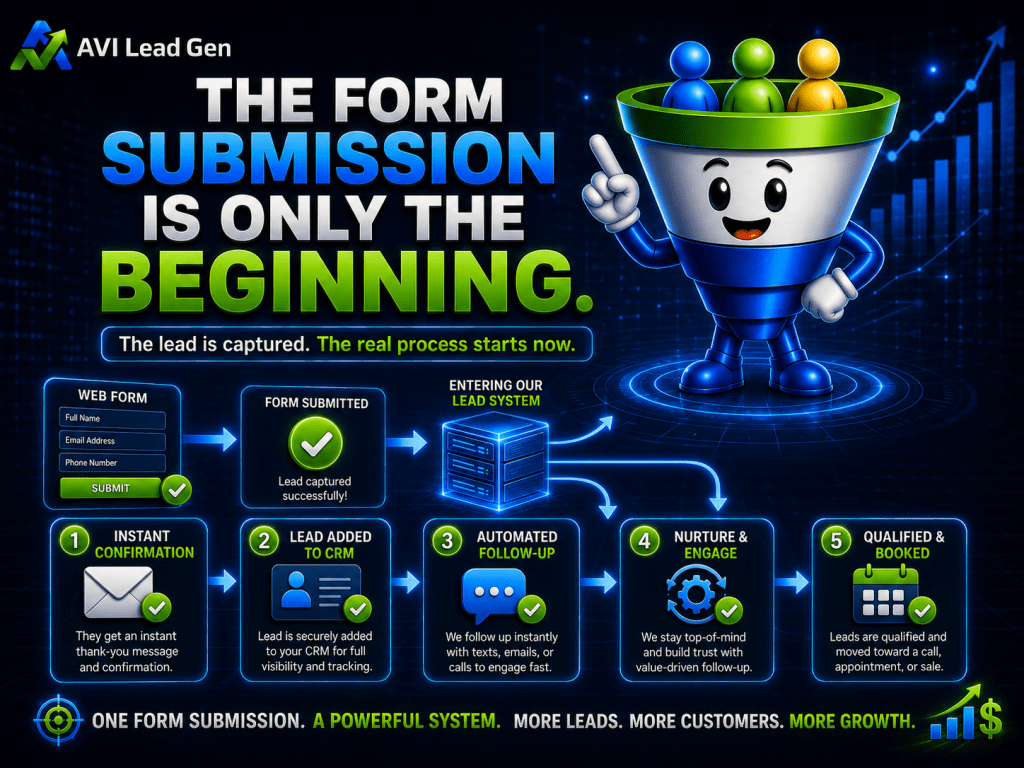
The Form Submission Is Only the Beginning
A website form has one job: capture interest.
That matters, but interest alone doesn’t create revenue.
A lead still needs to be acknowledged, organized, qualified, followed up with, and moved toward the next step. If that process is slow or unclear, the lead can go cold before a real conversation ever happens.
This is why a form should never be treated like a simple contact box.
It should be the starting point of a system.
When someone fills out your website form, your business should know:
Who the lead is.
What they’re interested in.
Where they came from.
How urgent the request is.
What should happen next.
Who is responsible for follow-up.
Whether the lead should book, be nurtured, or be qualified first.
Without that structure, a business may technically be generating leads while still losing the opportunities those leads represent.
That’s one of the most common lead generation bottlenecks small businesses face.
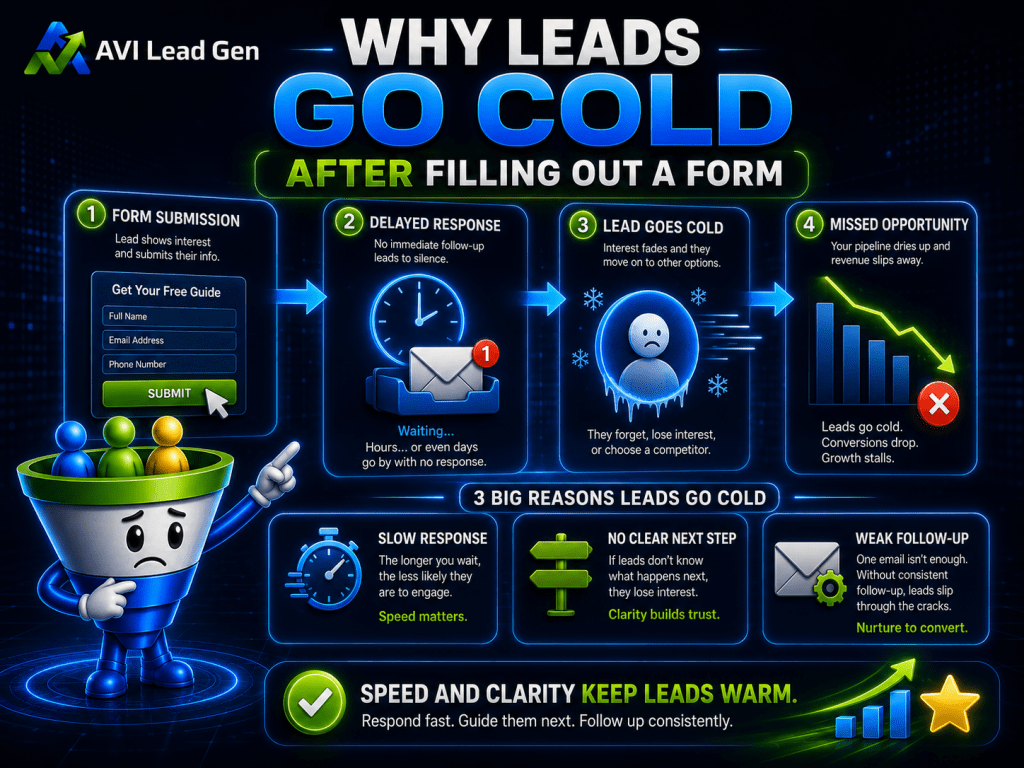
Why Leads Go Cold After Filling Out a Form
Most leads don’t go cold because they were never interested.
They go cold because the momentum wasn’t maintained.
A visitor may fill out a form while actively comparing providers. They may be ready to schedule. They may need a fast answer. They may be solving a problem that feels urgent today.
But if they hear nothing for several hours, or if the response feels generic, their attention can shift.
They may contact another business.
They may lose urgency.
They may forget why they reached out.
They may assume your business is too busy.
They may decide the next step is unclear.
This is why lead response speed, clarity, and consistency matter.
A lead generation system should reduce the gap between interest and action using automated follow-up.
That doesn’t mean every lead needs a hard sales push. It means every lead should receive a clear response and a logical next step.
A Realistic Example
Imagine a local service business that gets five form submissions in a week.
On paper, that sounds promising.
But here’s what actually happens:
Three leads go to a general inbox.
One lead includes a phone number but no one calls until the next day.
One lead asks a pricing question and never gets a clear answer.
No leads receive an instant confirmation.
No one is tagged in the CRM.
No source information is saved.
There is no booking link in the first response.
No follow-up happens after the first message.
By the end of the week, the owner feels frustrated.
The website generated leads, but none turned into booked appointments.
The owner may assume the leads were poor quality. They may assume they need more traffic. They may assume the website isn’t working.
But the real issue may be the process after the form.
If those same five leads received instant confirmation, fast follow-up, CRM tracking, a clear booking option, and a short follow-up sequence, the outcome could look very different.
The lead generation problem wasn’t only the website.
It was the handoff after the website captured interest.

What Should Happen Immediately After a Form Submission?
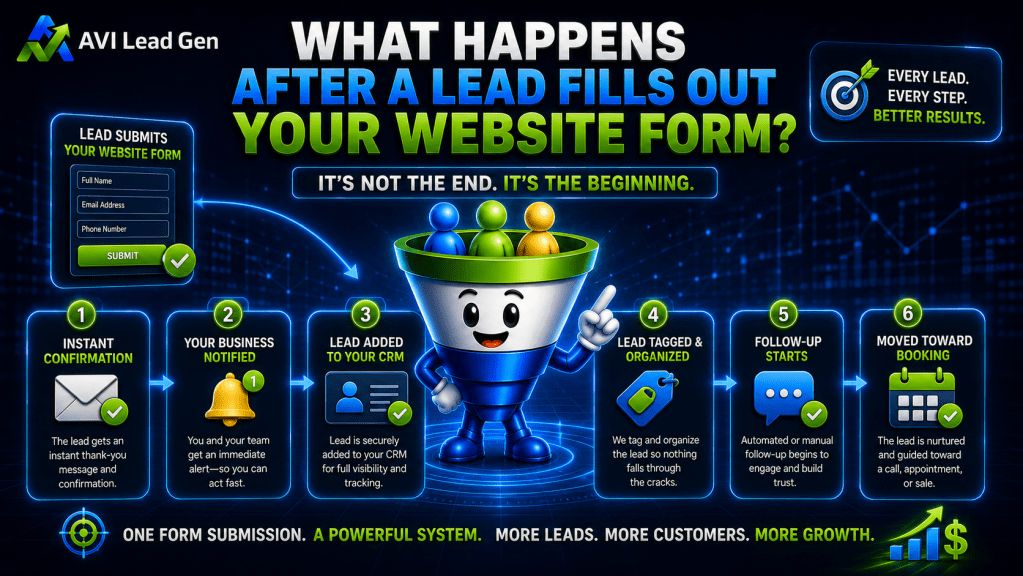
After a lead fills out your website form, several things should happen quickly.
The goal isn’t to make the process complicated.
The goal is to make sure the opportunity doesn’t get missed.
A strong form submission process should do five things right away:
Confirm the submission.
Notify the business.
Save the lead in the CRM.
Capture useful context.
Guide the lead toward the next step.
Each one plays a role.
The confirmation reassures the lead that the form worked.
The internal notification makes sure someone knows a new opportunity came in.
The CRM entry keeps the lead from getting lost in an inbox.
The context helps the business understand what the person needs.
The next step keeps momentum alive.
This is how a website form becomes part of a lead generation system instead of a dead-end contact box.

Step 1: Send an Instant Confirmation
The first thing a lead should receive is confirmation.
This doesn’t need to be complicated.
A simple message can let them know their submission was received, what happens next, and when they can expect a response.
For example:
“Thanks for reaching out. We received your request and will review it shortly. In the meantime, you can book a time here if you are ready to schedule a conversation.”
That kind of message does several things.
It reduces uncertainty.
It confirms the form worked.
It sets expectations.
It can provide a booking option.
It keeps the lead engaged while interest is high.
Without a confirmation, the lead may wonder if the form worked at all.
That small moment of doubt can weaken momentum.
A high-converting lead generation website shouldn’t leave the visitor guessing after they take action.

Step 2: Notify the Business Immediately
The business should know about the lead right away.
A form submission should not sit quietly in an inbox where it may be missed, buried, or forgotten.
At minimum, someone should receive an immediate alert.
That alert might go to email, CRM, Slack, SMS, or a task management system depending on how the business operates.
The important part is that responsibility is clear.
Who responds?
How fast should they respond?
What information do they need?
What happens if no one follows up?
Is there a backup notification?
This is where many businesses lose leads without realizing it.
The website captures the inquiry, but the internal process is too loose.
A strong lead generation system protects the opportunity by making sure the right person knows about it quickly.

Step 3: Add the Lead to the CRM
A lead should not live only in an inbox.
It should enter the CRM.
That gives the business a central place to track who the lead is, what they asked for, where they came from, what stage they are in, and what needs to happen next.
A CRM makes follow-up easier because the contact is no longer just a message.
They become part of a process.
The CRM can store:
Name.
Email.
Phone number.
Service interest.
Message details.
Form submitted.
Lead source.
UTM data.
Tags.
Status.
Follow-up notes.
Booked appointment details.
This matters because lead generation depends on visibility.
If you can’t see where a lead came from or what happened next, it becomes harder to improve the system.
CRM organization and follow-up automation help turn scattered inquiries into a manageable pipeline.
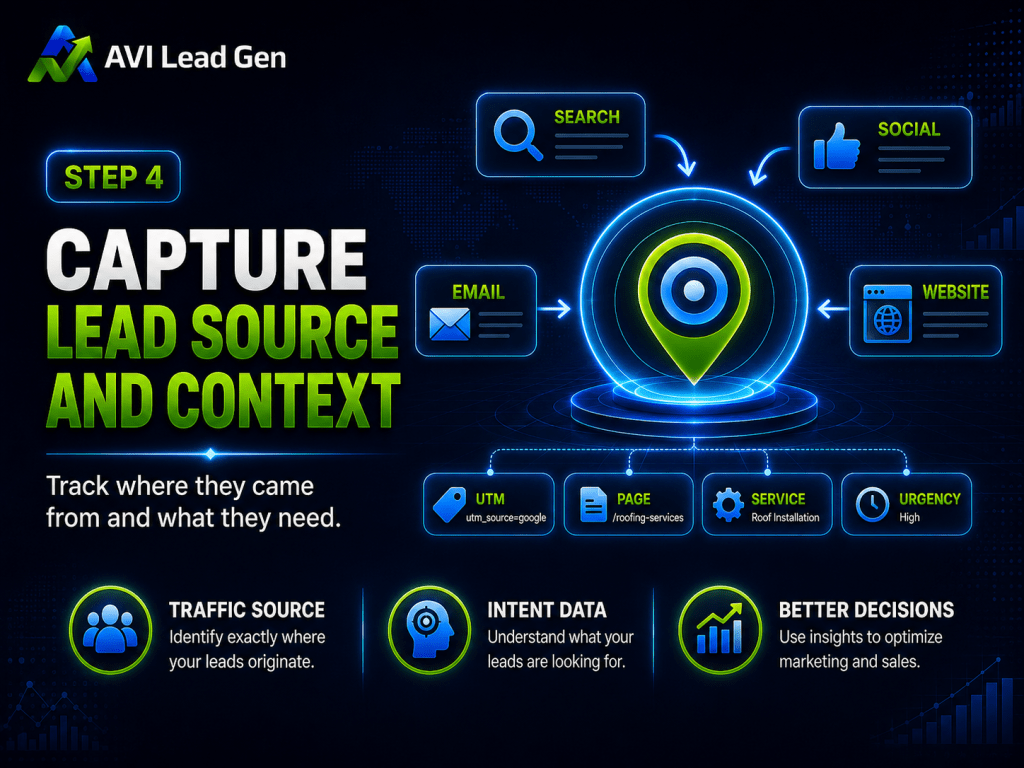
Step 4: Capture Lead Source and Context
Not all leads are the same.
A lead from a service page may have different intent than a lead from a blog article. A lead from a paid ad may behave differently than a lead from organic search. A returning visitor may be closer to making a decision than someone discovering the business for the first time.
That’s why context matters.
When possible, your forms should capture useful details such as:
Which form was submitted.
Which page the lead came from.
Which campaign drove the visit.
Which service they selected.
What problem they described.
How soon they need help.
Whether they are ready to book.
This information helps the business respond better.
It also helps you understand which pages, campaigns, and offers are producing real opportunities.
Without source tracking, you may know that leads came in, but not which marketing efforts created them.
If you’re unable to track and improve your lead generation funnel, that makes future decisions harder.
A lead generation system should help you see what is working, not just collect names.
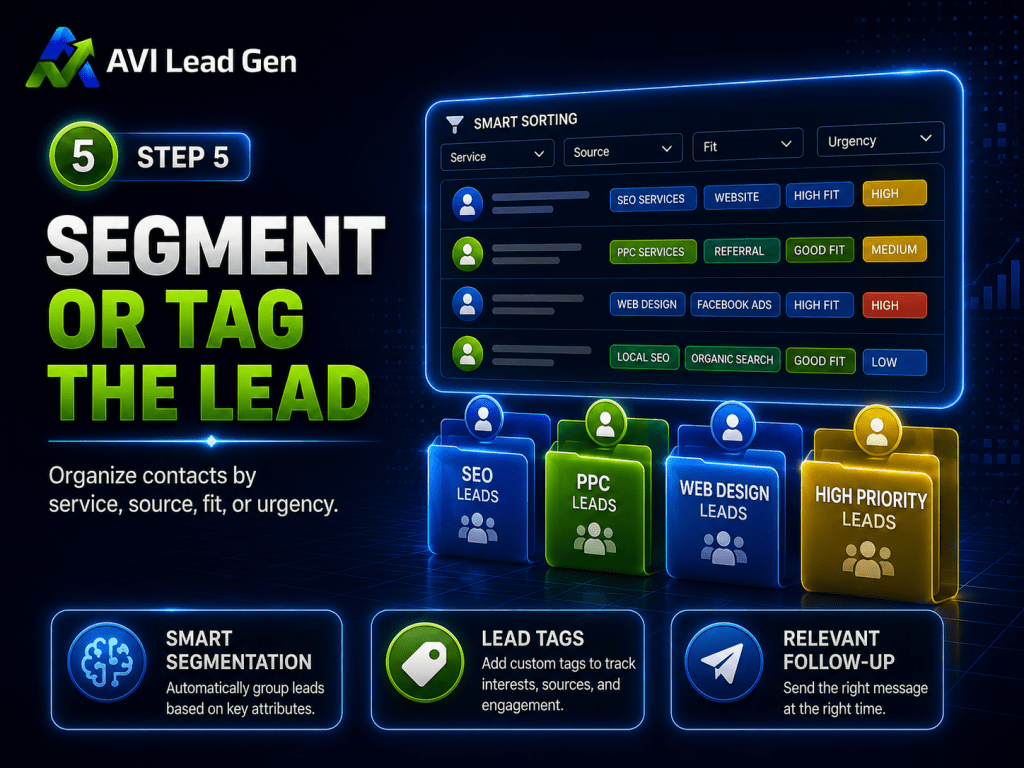
Step 5: Segment or Tag the Lead
Once leads enter the CRM, the system should organize them.
This may be done with tags, lists, custom fields, lead stages, or form-based segmentation.
The goal is simple: not every lead should receive the same follow-up.
A high-intent quote request is different from a newsletter signup.
A booked consultation is different from someone downloading a checklist.
A poor-fit inquiry is different from a high-value prospect.
Tagging and segmentation help the business respond based on context.
For example, a lead may be tagged by:
Service interest.
Source.
Lead magnet.
Booking status.
Fit.
Urgency.
Lifecycle stage.
Form submitted.
This allows better follow-up.
A ready-to-book lead can move toward scheduling. An early-stage lead can enter a nurture sequence. A poor-fit lead can receive a helpful alternative. A no-show can receive a recovery sequence.
The point isn’t to overcomplicate the CRM.
The point is to avoid treating every lead the same.

Step 6: Start Follow-Up While Interest Is High
Follow-up should begin quickly.
That doesn’t always mean a full sales conversation happens immediately, but the lead should feel acknowledged and guided.
A strong first follow-up should usually do three things:
Confirm the problem or request.
Make the next step clear.
Invite the lead to continue the conversation.
For some businesses, that may mean calling the lead. For others, it may mean sending a booking link. For others, it may mean asking one or two qualifying questions before scheduling.
The key is speed and relevance.
If a lead requested a quote, the response should address the quote process. If they asked about a service, the response should connect to that service. If they downloaded a resource, the response should continue the education and offer a logical next step.
Generic follow-up is better than no follow-up, but specific follow-up is stronger.
The more connected the response feels to the lead’s action, the more likely they are to go from lead to booked appointment.
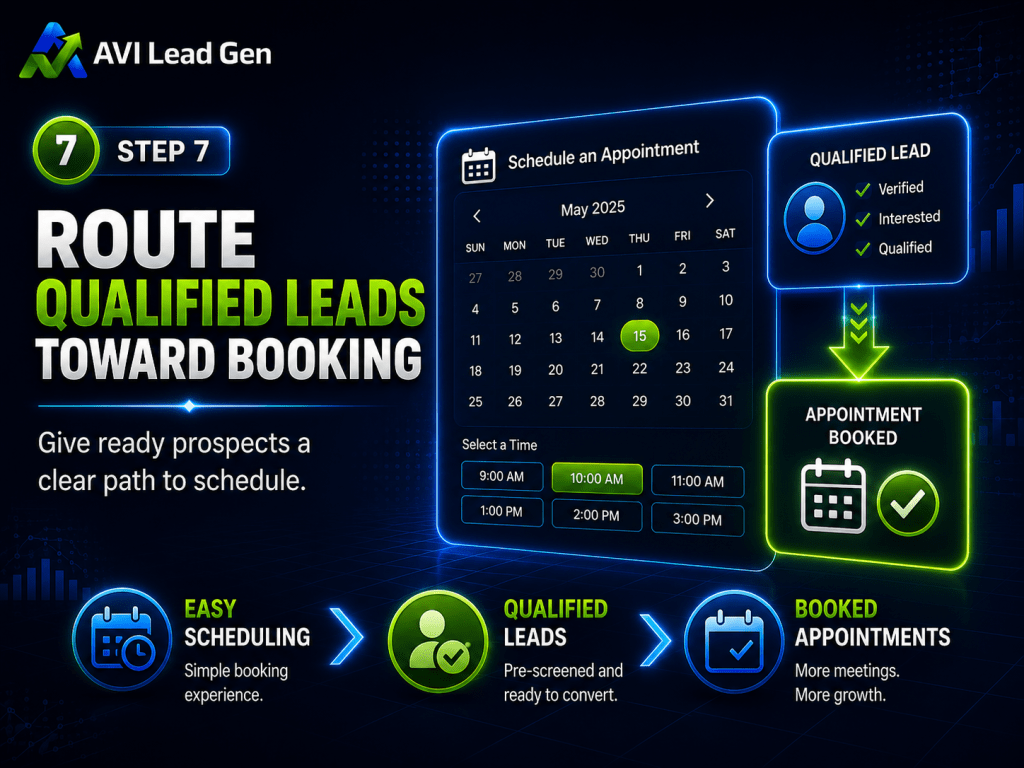
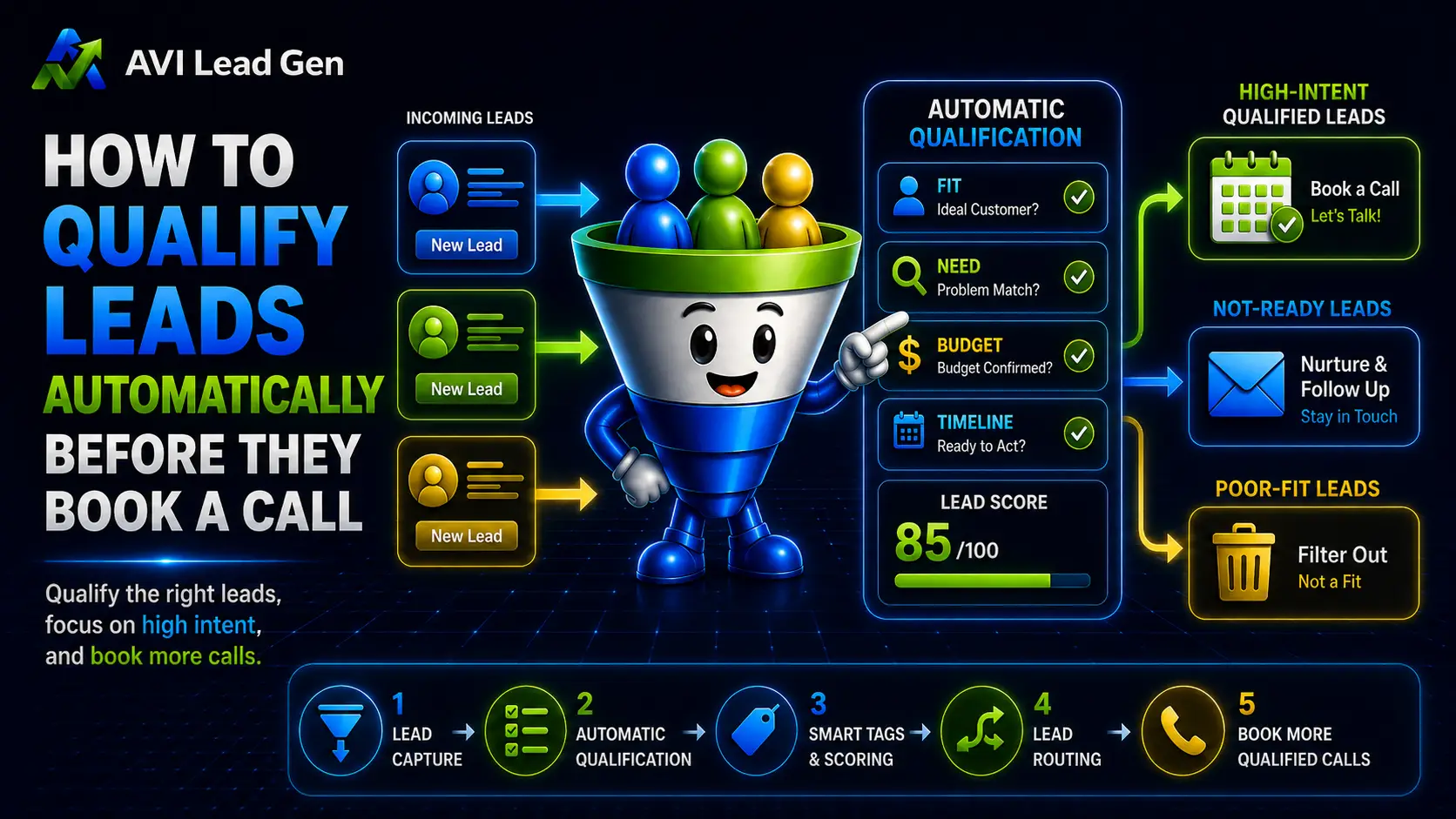
Step 7: Route Qualified Leads Toward Booking
Some leads are ready for a conversation.
Don’t make them work too hard to schedule it.
If someone fills out a high-intent form, the next step should be obvious. That may mean placing a booking link in the confirmation email, sending a calendar option in the first follow-up, or redirecting the form submission to a booking page.
The booking process should answer basic questions:
What is this call for?
How long will it take?
Who will I speak with?
What should I expect?
Will I be pressured?
What happens after the call?
When those questions are answered, booking feels easier.
A lead capture system shouldn’t stop at collecting contact information. It should help qualified leads move toward a real conversation.
That’s where lead capture and appointment booking work together.
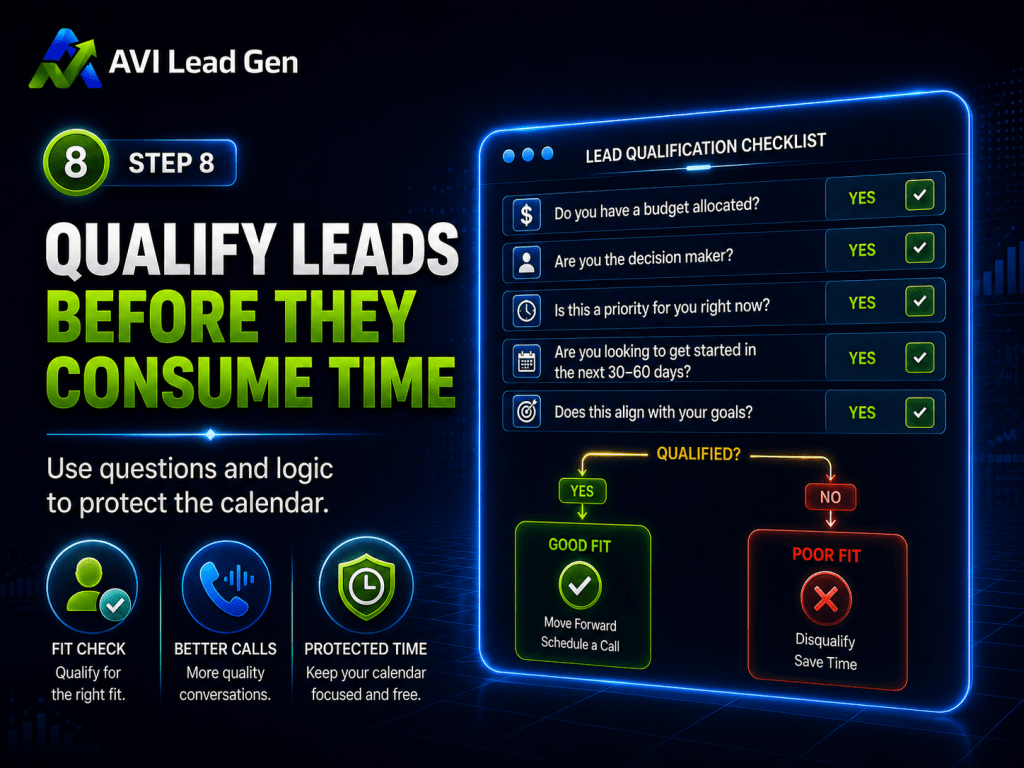
Step 8: Qualify Leads Before They Consume Time
Not every form submission should immediately become a sales call.
Some leads need more information. Some aren’t a fit. Some are outside the service area. Some are too early in the decision process. Some are looking for a service the business doesn’t offer.
That’s why qualification matters.
Qualification can happen on the form, after the form, or inside the booking process.
You may ask about:
Service needed.
Timeline.
Budget range.
Location.
Business type.
Project size.
Urgency.
Current challenge.
The goal isn’t to create friction for serious buyers.
The goal is to protect time and improve the quality of conversations.
If every lead goes straight to the same calendar, the business may waste time with poor-fit prospects while stronger opportunities wait.
A good system guides different leads into different paths.
High-fit leads move toward booking. Early-stage leads enter nurture. Poor-fit leads receive a helpful response or alternative recommendation.
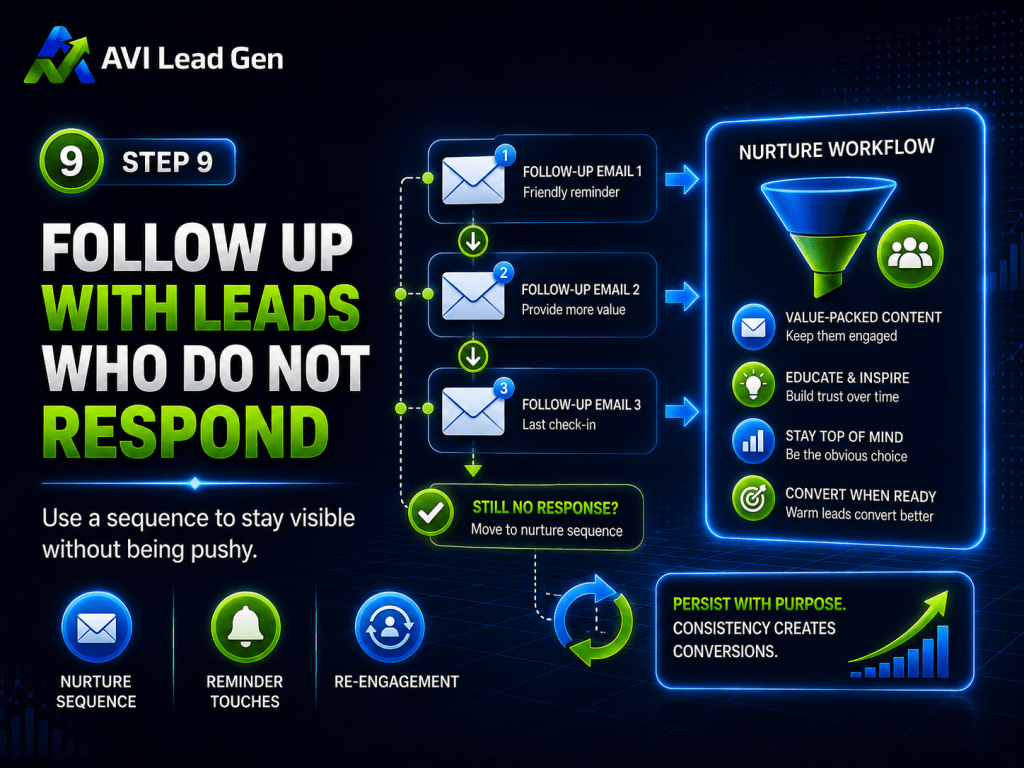
Step 9: Follow Up With Leads Who Do Not Respond
Not every lead will respond to the first message.
That doesn’t mean the lead is dead.
People get busy. They miss emails. They compare options. They hesitate. They need more time.
A follow-up sequence helps keep the conversation alive without forcing you to remember every manual touchpoint.
A simple sequence might include:
A first response.
A reminder the next day.
A helpful resource.
A final check-in.
A longer-term nurture sequence if they do not respond.
The tone should be helpful, not desperate.
The goal is to make it easy for the lead to re-engage.
For example:
“Just checking in to make sure you saw my reply. If now is still a good time to talk, you can book a time here.”
That kind of message is simple, clear, and useful.
Without a follow-up sequence, many leads disappear only because no one stayed in front of them long enough.
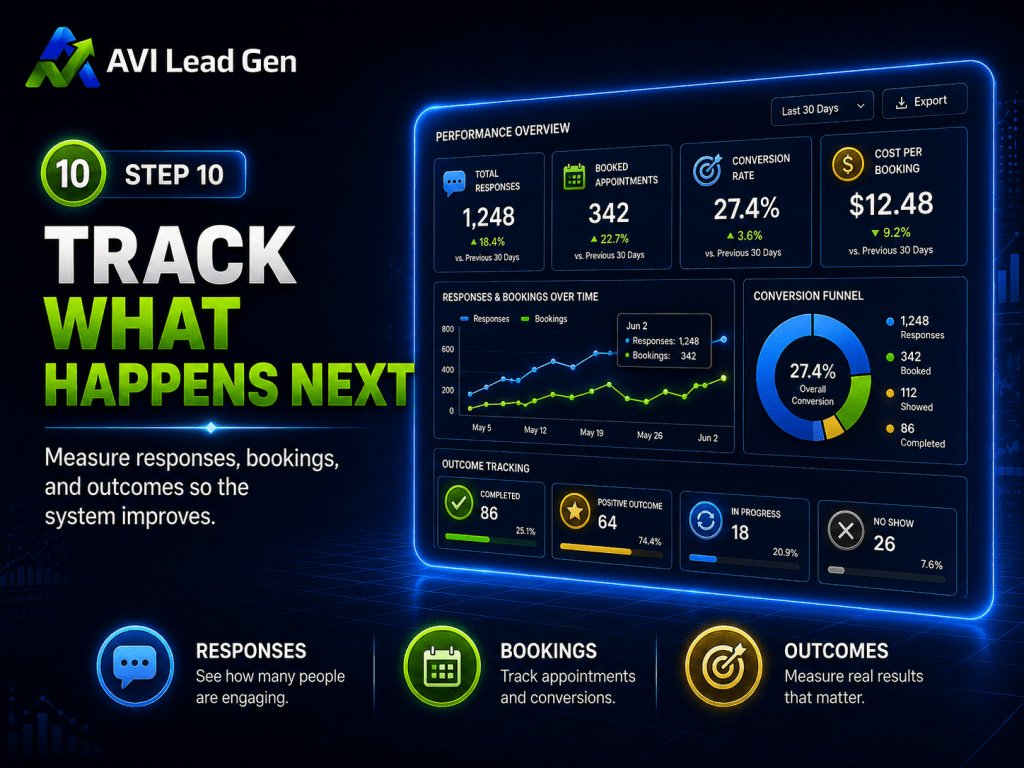
Step 10: Track What Happens Next
The lead journey shouldn’t disappear after the first response.
To improve the system, the business needs to know what happened.
Did the lead respond?
Did they book?
Did they show up?
Were they qualified?
Did they become a customer?
Did they go cold?
Did they come from search, social, email, ads, or referral?
This is where many businesses lose visibility.
They may know how many form submissions came in, but not how many became real opportunities.
That makes it hard to know what to fix.
If leads are coming in but few are booking, the bottleneck may be follow-up or booking. If bookings are happening but few become customers, the issue may be qualification or sales conversion. If a certain traffic source sends many leads but few good ones, the issue may be traffic quality.
Tracking helps the business stop guessing.
It shows where opportunities are moving forward and where they’re getting stuck.
What a Strong Lead Conversion System Looks Like
Strong website form follow-up is not about adding unnecessary complexity.
It’s about creating a clear path.
Here’s what that path may look like:
Visitor submits a form.
The lead receives instant confirmation.
The business receives an alert.
The lead enters the CRM.
Source and form details are saved.
The lead is tagged based on interest.
Follow-up begins quickly.
Qualified leads are routed toward booking.
Unresponsive leads enter a follow-up sequence.
Outcomes are tracked.
That’s the difference between collecting leads and managing opportunities.
A basic website form says, “Thanks, we received your message.”
A lead generation system says, “We know who this is, what they need, where they came from, what should happen next, and how we will follow up.”
That’s a much stronger foundation for growth.
Common Mistakes During Website Form Follow-Up
Most after-the-form problems aren’t dramatic.
They’re small gaps that quietly cost opportunities.
Common mistakes include:
No confirmation message.
Slow internal notification.
Leads sent only to an inbox.
No CRM record.
No source tracking.
No lead tags or segmentation.
No clear booking path.
No qualification questions.
No follow-up sequence.
No tracking after the first response.
Each of those gaps may seem small by itself.
Together, they create a weak handoff between website interest and sales opportunity.
That handoff matters.
A lead generation website can bring people to the door, but the follow-up system determines whether the door opens.
The Bottom Line
A lead filling out your website form isn’t the end of the process.
It’s the beginning.
That lead needs confirmation, fast follow-up, CRM tracking, source context, segmentation, qualification, booking options, and continued follow-up if they don’t respond.
Without that system, leads can sit in an inbox, go cold, or disappear before a real conversation happens.
With the right system, every form submission has a clearer path forward.
At AVI Lead Gen, we help small businesses build lead generation systems that connect websites, forms, CRM automation, booking, follow-up, and tracking so fewer opportunities fall through the cracks.
Because the goal isn’t just to collect leads.
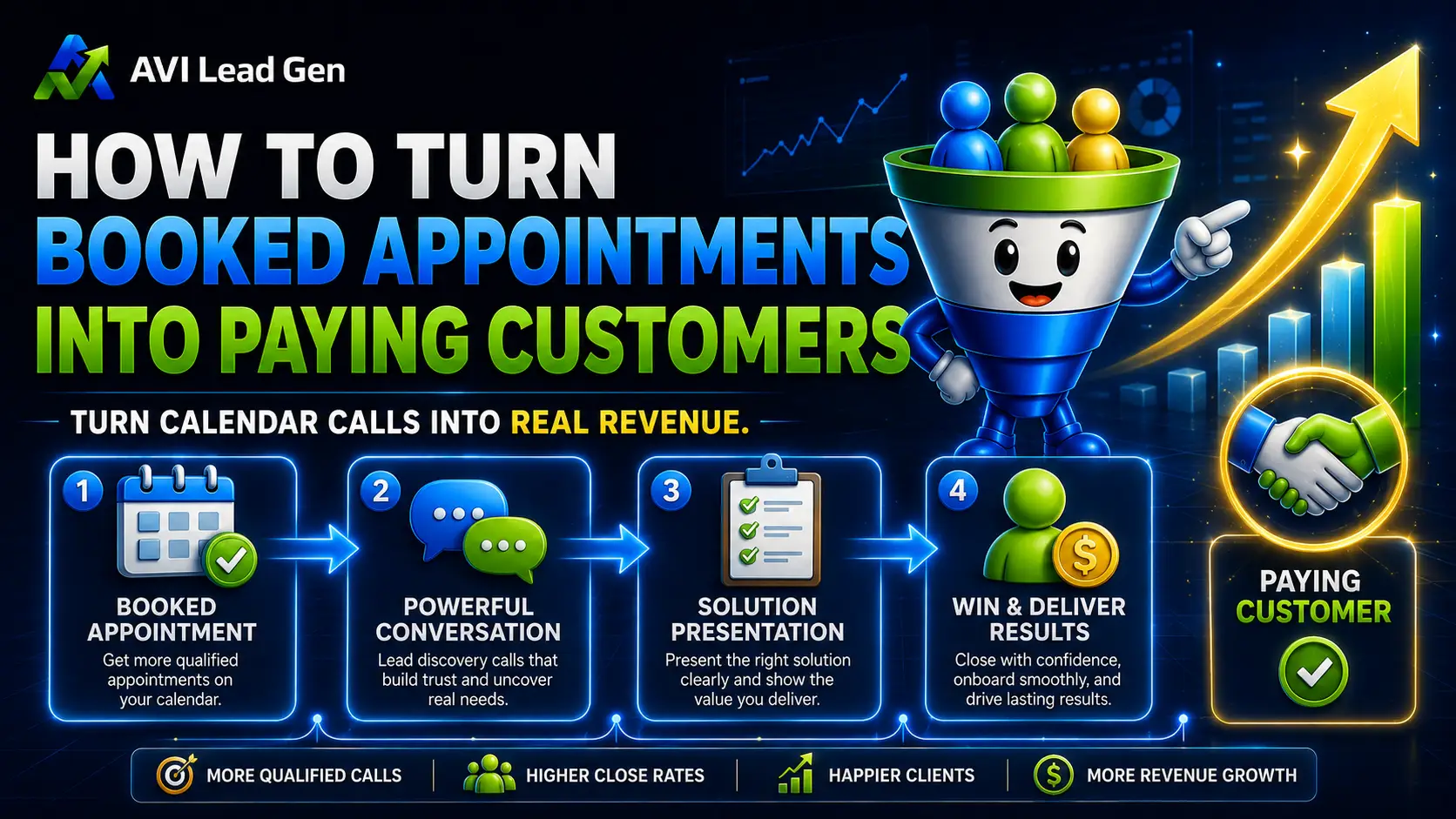
The goal is to turn interest into real conversations, booked appointments, and customers.
Ready to Build a Better Follow-Up System Behind Your Website?
If your website captures leads but those leads are not consistently turning into conversations or appointments, the issue may not be traffic alone.
It may be what happens after the form.
Ready to stop guessing and build a lead generation system that works around the clock?
AVI Lead Gen helps small businesses capture leads, automate follow-up, and turn more website visitors into real opportunities.
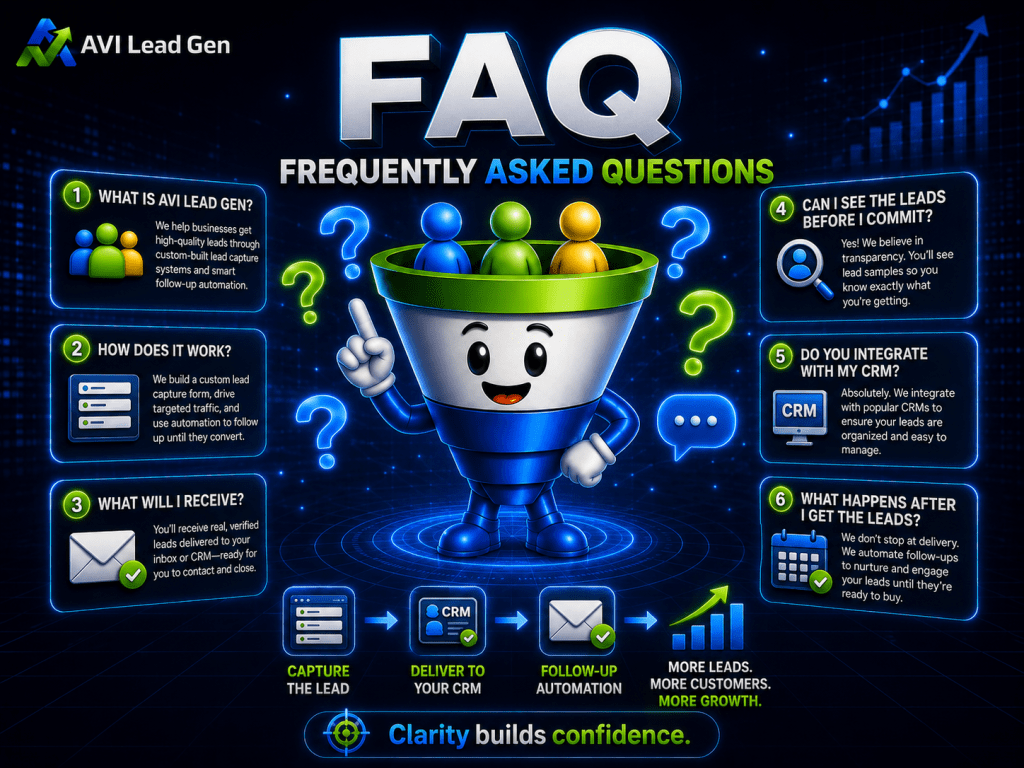
Frequently Asked Questions
What should happen after a lead fills out your website form?
The lead should receive an instant confirmation, the business should get notified, the contact should enter the CRM, source details should be captured, and follow-up should begin quickly. The form submission should start a clear process.
Why do website leads go cold?
Website leads often go cold because follow-up is too slow, the next step is unclear, the lead receives no confirmation, or the business does not have a system for managing new inquiries.
Should website forms connect to a CRM?
Yes, website forms should connect to a CRM whenever possible. A CRM helps organize leads, track source details, trigger follow-up, assign tasks, and prevent inquiries from getting lost in an inbox.
How quickly should a business follow up with a new lead?
A business should follow up as quickly as possible while the lead’s interest is high. Even if a full response is not ready, an instant confirmation and clear next step can help protect the opportunity.
Should every form submission lead to a sales call?
Not always. Some leads should book right away, but others may need to be qualified, nurtured, or routed to a different next step. A good lead generation system helps guide each lead based on fit and intent.
What is the biggest mistake businesses make after a form submission?
The biggest mistake is treating the form submission as the finish line. A form should start a process that includes confirmation, follow-up, CRM tracking, booking, qualification, and outcome tracking.