Introduction
Many businesses collect leads through their website but struggle to turn those leads into actual conversations or booked appointments.
A visitor fills out a form, downloads a resource, or requests information, but afterwards, the follow-up process often becomes inconsistent or manual. Leads sit in inboxes, opportunities get missed, and potential customers move on to competitors who respond faster.
This is where FluentCRM automation becomes extremely powerful.
By combining WordPress forms, tagging, automation sequences, and a booking calendar, you can create a system that automatically captures leads, nurtures interest, and converts prospects into scheduled appointments.
In this guide, we’ll walk through a complete FluentCRM lead nurture funnel you can implement on a WordPress website to turn visitors into booked calls.

Why FluentCRM Automation Matters
If you want consistent meetings without constant manual follow-up, your website needs an automated nurture funnel that does three things reliably:
Captures intent
Who showed up, where they came from, and what they are interested in.
Nurtures interest
Delivering timely, relevant messages that move prospects closer to a decision.
Converts to action
Encouraging the right prospects to book appointments while filtering out low-intent inquiries.
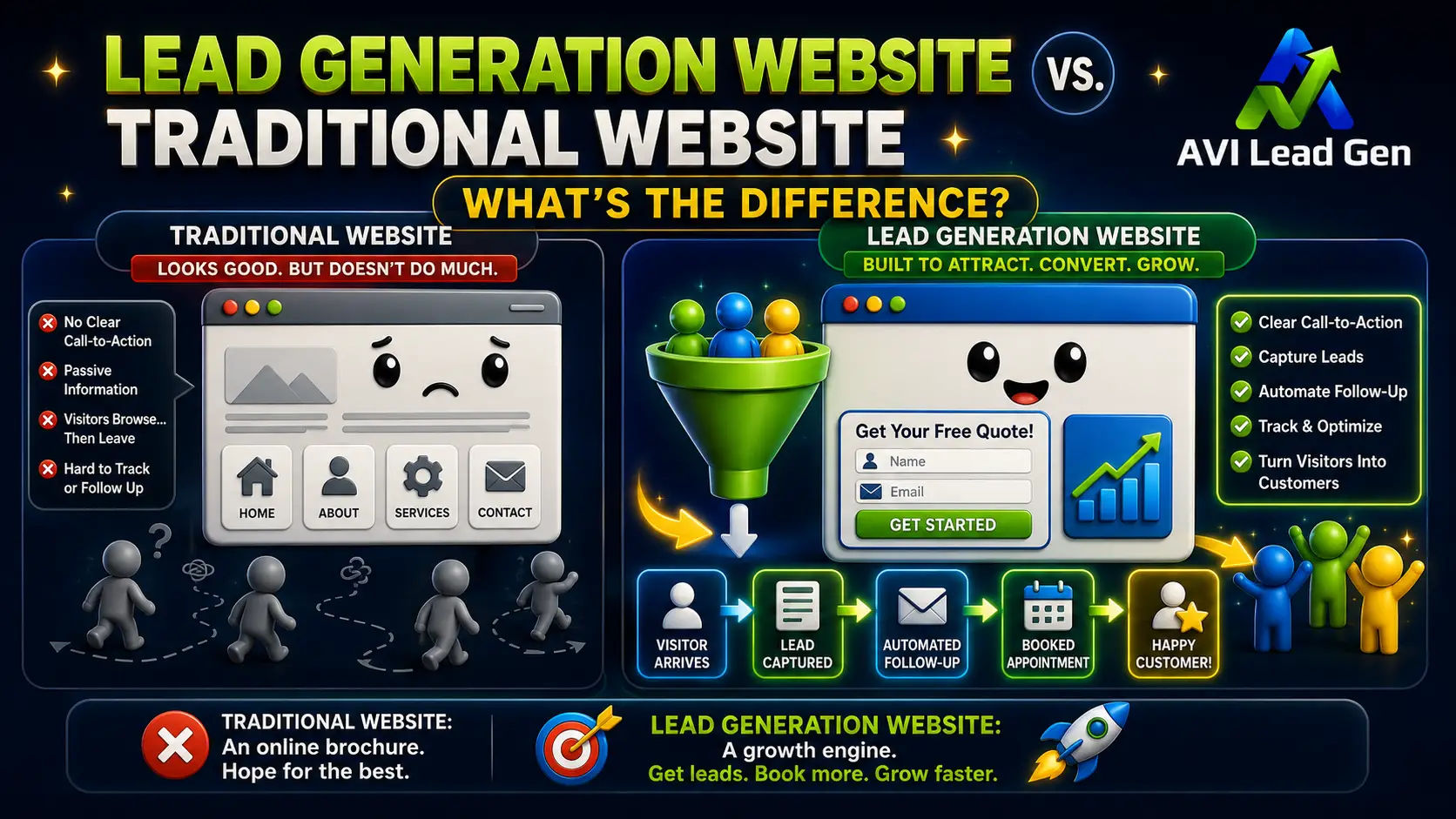
When these three elements work together, your website becomes more than just an online brochure; it becomes a lead conversion system.
The Big-Picture Lead Funnel
A well-designed lead funnel follows a predictable path:
First Visit → Capture → Tag & Score → Nurture Sequence → Book CTA → Appointment → Follow-Up
Each step moves the visitor closer to becoming a qualified opportunity.
The goal is simple: ensure that every interested visitor receives timely communication and a clear path to booking a conversation.
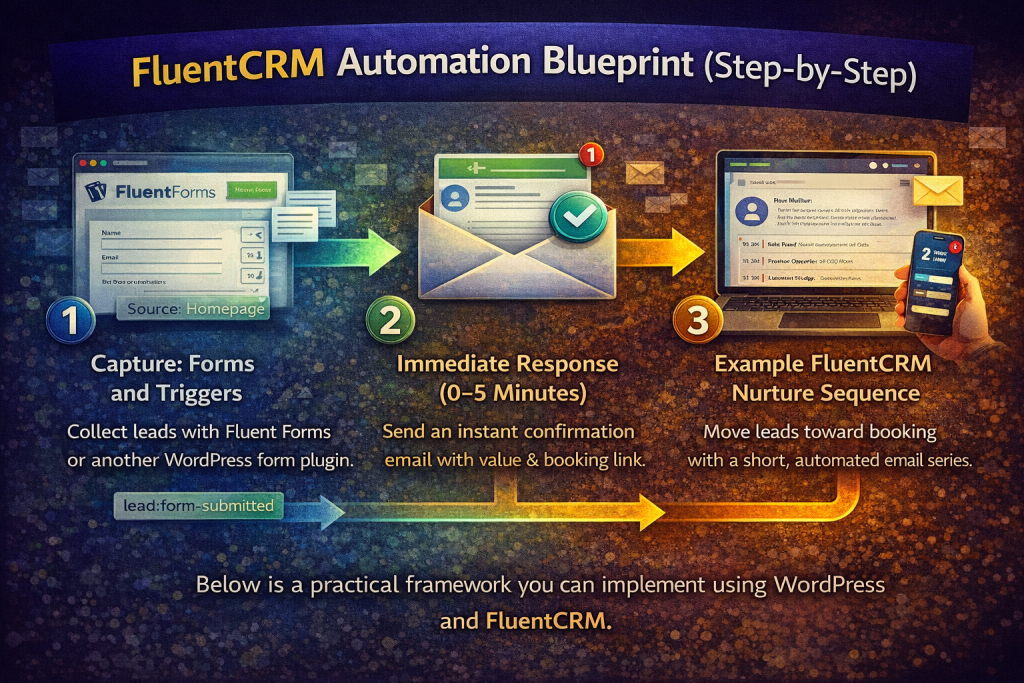
FluentCRM Automation Blueprint (Step-by-Step)
Below is a practical framework you can implement using WordPress and FluentCRM.
1. Capture: Forms and Triggers
The automation process begins when a visitor submits a form on your website.
This can be done using Fluent Forms or another WordPress form plugin.
Important fields to capture include:
- First name
- Email address
- Phone number (optional but recommended)
- Intent or inquiry type (Consultation / Demo / Pricing / Other)
As soon as the form is submitted, FluentCRM should automatically apply tags such as:
lead:form-submitted
source:homepage or source:landing-page
Applying tags immediately makes segmentation much easier later. Tags allow you to track behavior, organize contacts, and trigger automation rules.
2. Immediate Response (0–5 Minutes)
Speed matters when responding to new leads.
Your automation should send an instant confirmation email that:
- acknowledges the inquiry
- delivers any requested resource
- provides the next step
A simple welcome email might include:
- a helpful guide or checklist
- a short introduction to your service
- a clear call to action to book a consultation
This email should also apply the tag:
nurture:started
Offering a useful resource or incentive at this stage can dramatically increase engagement.
3. Example FluentCRM Nurture Sequence
Once the lead enters your system, a short nurture sequence helps build trust and move them toward booking a conversation.
Here is an example 10- to 14-day sequence.
Email 1 — Welcome and Quick Win (Immediately)
Subject:
Thanks for reaching out, {{first_name}}
Purpose:
- deliver the requested resource
- provide immediate value
- introduce the booking option
Include a simple call to action:
Book a 15-minute consultation
Email 2 — Social Proof (2 Days Later)
Subject:
How one client booked 10 new customers in 30 days
Purpose:
- demonstrate results
- build credibility
- include a testimonial or short case study
End the email with a booking link.
Email 3 — Address Common Questions (3–5 Days Later)
Subject:
The questions most people ask before getting started
Purpose:
- address common objections
- clarify expectations
- explain how your service works
Again, include the option to schedule a consultation.
Email 4 — Scarcity or Calendar Nudge (4–5 Days Later)
Subject:
A few open slots left this week
Purpose:
- create urgency
- encourage action
Provide a direct link to your calendar or booking page.
If a lead books an appointment during the sequence, the automation should immediately:
- stop the nurture sequence
- apply the tag lead:booked
- send confirmation instructions
4. Automating Appointment Booking
There are two primary ways to automate bookings with FluentCRM.
Calendar Integration
Many businesses connect tools such as:
- Calendly
- Acuity
- SavvyCal
- Book Like a Boss
These tools support webhooks or automation integrations.
When an appointment is scheduled, the booking system sends a webhook that triggers a FluentCRM automation event.
This automation should:
- apply the tag lead:booked
- record the appointment date
- notify your team
On-Site Booking Form
Alternatively, you can use a booking form on your WordPress site.
When the form is submitted:
- apply the tag lead:booked
- create a calendar event
- send a confirmation email and calendar invitation
Some businesses also add SMS reminders using providers such as Twilio.
FluentCRM Tagging and Lead Scoring
Tags categorize behavior, while lead scoring assigns numeric value to engagement.
Using both provides powerful segmentation.
Example Tag Structure
lead:form-submitted
lead:downloaded-asset
lead:viewed-pricing
lead:booked
lead:client
nurture:started
Example Lead Scoring Model
+5 points — submitted a form
+3 points — downloaded a resource
+4 points — opened multiple emails
+6 points — clicked booking link
+8 points — visited pricing page
−5 points — unsubscribed or bounced
When a contact reaches a certain score threshold, they can be labeled as a high-intent lead.
For example:
Lead Score ≥ 12 → Apply tag lead:hot
This can trigger an internal notification so your team can follow up personally.

Measuring Funnel Performance
Once your automation is active, it’s important to track performance.
Key metrics to monitor include:
Form Conversion Rate
Percentage of visitors who submit a form.
Booking Conversion Rate
Percentage of leads who schedule an appointment.
Lead-to-Client Conversion Rate
How many booked calls turn into paying customers.
Time-to-Book
Average time between first inquiry and scheduled appointment.
Email Engagement
Open rates, click rates, and booking link clicks.
Tracking these metrics helps identify where leads drop off so the funnel can be improved.
Simple A/B Tests to Improve Bookings
Even small improvements can increase conversions.
Consider testing:
- CTA wording (Book a Call vs Schedule a Consultation)
- Email subject lines
- Timing between emails
- Button placement on landing pages
These tests often reveal simple changes that dramatically increase bookings.
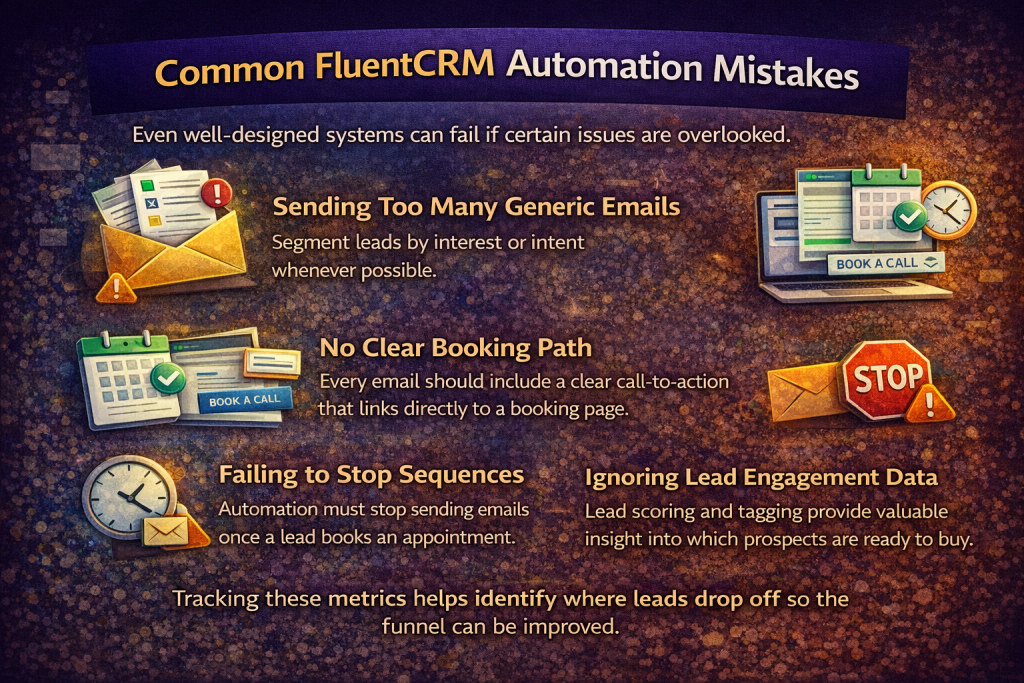
Common FluentCRM Automation Mistakes
Even well-designed systems can fail if certain issues are overlooked.
Sending Too Many Generic Emails
Segment leads by interest or intent whenever possible.
No Clear Booking Path
Every email should include a clear call-to-action that links directly to a booking page.
Failing to Stop Sequences
Automation must stop sending emails once a lead books an appointment.
Ignoring Lead Engagement Data
Lead scoring and tagging provide valuable insight into which prospects are ready to buy.
Quick Implementation Checklist
To launch this automation system:
- Create a lead capture form with an intent field
- Create tags inside FluentCRM
- Add a lead_score custom field
- Build your welcome + nurture email sequence
- Connect your booking calendar
- Create internal notifications for high-intent leads
- Monitor metrics and refine the funnel
Once this system is active, your website can automatically capture, nurture, and convert leads into booked appointments.
Final Thoughts
FluentCRM automation is a powerful way to turn website visitors into meaningful business conversations.
When implemented correctly, a well-structured funnel ensures that every inquiry receives:
- an immediate response
- relevant follow-up messages
- a simple path to booking a consultation
Instead of manually chasing every lead, your website works behind the scenes to move prospects from first visit to scheduled appointment.
For businesses using WordPress, this combination of FluentCRM automation, lead tagging, nurture sequences, and booking integration creates a reliable system for converting interest into opportunities.
Frequently Asked Questions
What is FluentCRM automation?
FluentCRM automation allows WordPress websites to automatically capture leads, send email sequences, apply tags, track engagement, and trigger actions such as notifications or appointment confirmations.
Can FluentCRM handle lead scoring?
Yes. FluentCRM supports custom fields that can store numeric values such as a lead score. Automations can update this score based on behavior such as email opens, link clicks, or form submissions.
How many emails should a nurture sequence include?
Most effective nurture sequences include three to five emails delivered over 10–14 days. These emails typically provide value, build trust, address objections, and encourage booking a consultation.
What booking tools integrate with FluentCRM?
Popular tools include Calendly, Acuity Scheduling, SavvyCal, and Book Like a Boss. Most support webhooks or integration platforms like Zapier that can trigger FluentCRM automations.
How do I stop nurture emails after someone books a call?
Apply a tag such as lead:booked when the appointment is scheduled. Then add automation conditions that stop the nurture sequence when that tag exists.