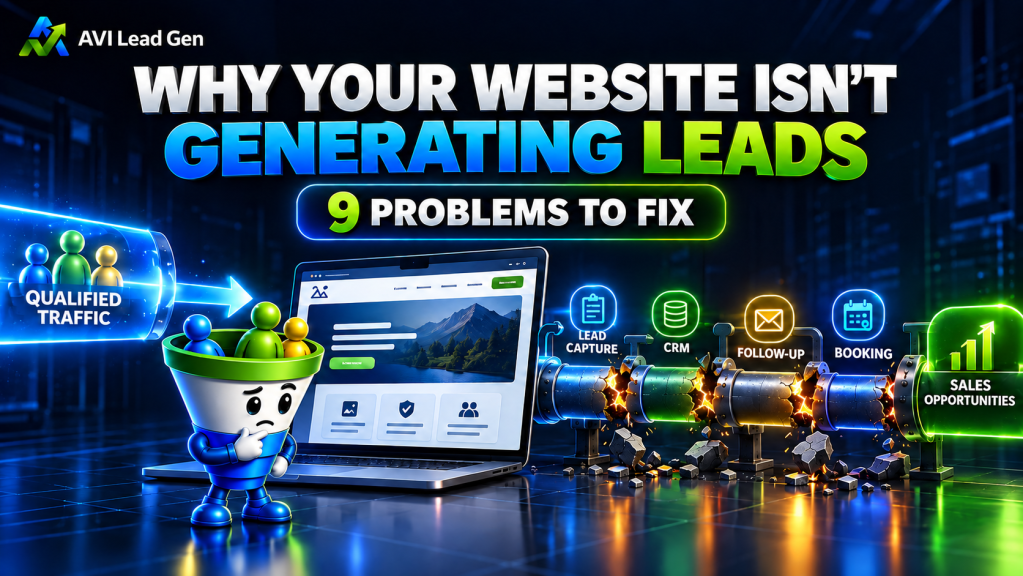
You paid for the website. It looks professional. Your services are listed. The contact form works.
So where are the leads?
If you’re dealing with a website not generating leads, the natural reaction is usually to assume you need more traffic.
Sometimes you do.
But sending more people to a website with a broken conversion path doesn’t solve much. You may simply send more visitors into the same dead end.
A better question is:
Where is the lead-generation process breaking?
The right person has to find you, understand what you offer, trust you enough to take the next step, submit their information, receive a useful response, and continue toward a real sales conversation.
That’s not one website feature.
It’s a system.
And once you look at website lead generation that way, diagnosing the problem becomes much easier.
First: Is It a Traffic Problem or a Conversion Problem?
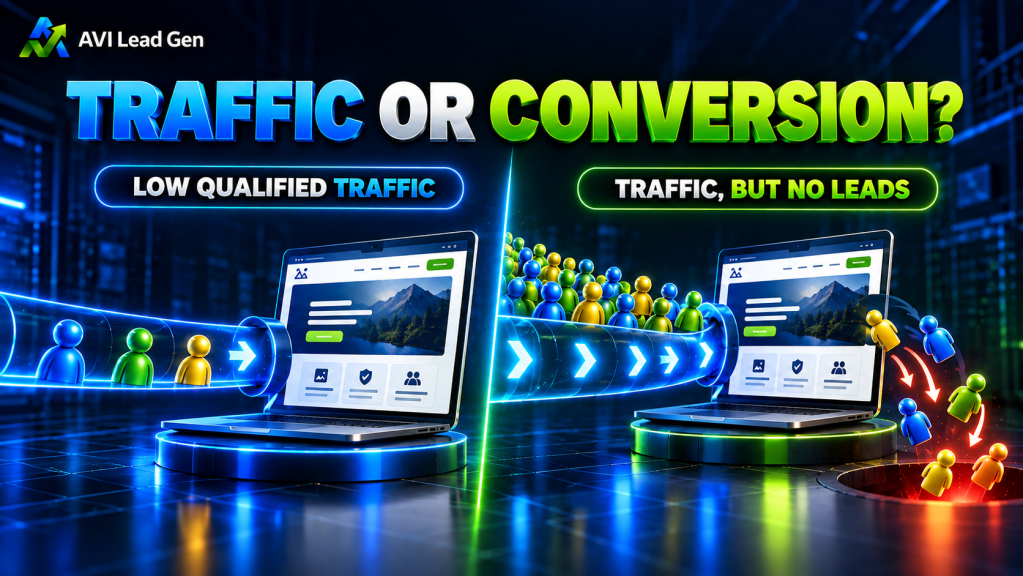
Before rebuilding your homepage, changing every button or buying more advertising, determine which problem you actually have.
There are two very different situations.
If You Have Very Little Qualified Traffic
If only a handful of relevant prospects visit your website each month, you may not have enough opportunities to produce consistent leads.
The problem might be:
- weak search visibility
- content that doesn’t match buyer searches
- poor local visibility
- an audience that’s too broad
- little active distribution
- traffic coming from people who aren’t potential buyers
In that case, conversion improvements still matter, but they can’t create qualified visitors that never arrive.
If People Visit but Don’t Contact You
A website getting traffic but no leads has a different problem.
Ask:
- Do visitors immediately understand what you do?
- Does the page match the problem that brought them there?
- Is there enough proof to trust you?
- Is the next step obvious?
- Is taking that step unnecessarily difficult?
- Does anything useful happen after they submit?
Traffic and conversion are different problems.
Diagnose before you prescribe.
1. The Right People Aren’t Finding Your Website
A website can’t generate many opportunities if the people most likely to buy never reach it.
But “more traffic” isn’t enough.
A bookkeeping firm doesn’t benefit much from thousands of visitors looking for free spreadsheet templates if its goal is to attract business owners searching for monthly bookkeeping.
A roofing company doesn’t need nationwide traffic from people researching DIY shingle repairs if it serves homeowners in a defined local market.
The goal is qualified traffic.
That means creating pages and content around the services, problems and questions your potential customers are actually searching for.
Look at:
- which searches produce impressions and clicks
- which pages bring visitors into your site
- geographic relevance
- whether those pages relate to something you sell
- whether the visitor has a logical path from the content to the next step
SEO shouldn’t simply create visitors.
It should create opportunities for the right people to discover your business.

2. Visitors Can’t Quickly Tell What You Do or Who You Help
Getting someone to the site is only the beginning.
Once they arrive, they need to understand three things quickly:
What do you do?
Is this relevant to me?
What should I do next?
Many small business websites make that harder than it needs to be.
The homepage may lead with a slogan that sounds impressive but doesn’t explain the service. Or the opening section spends more time talking about the company than addressing the visitor’s problem.
Compare:
Innovative solutions backed by unmatched service and experience.
with:
Bookkeeping and financial reporting for contractors who need to know where their jobs are actually making money.
The second isn’t clever.
It’s clear.
Good messaging doesn’t require the visitor to interpret what you mean. It connects a problem they already recognize with the service you provide.
Your homepage and important service pages should make the buyer think:
“This looks like it’s for someone like me.”
That’s where website conversion starts.
3. Your Website Doesn’t Give Visitors a Clear Next Step
Once a potential customer understands the offer, what do you want them to do?
Call?
Request a quote?
Book a consultation?
Complete an assessment?
Download something useful?
A surprising number of websites never make that decision clear.
Others provide so many competing options that the visitor has to make the decision for you.
The strongest lead generation websites match the next step to the visitor’s intent.
Someone reading a high-intent service page may be ready to book.
Someone reading an educational article may not be ready to talk yet, but they might use a checklist or continue to another resource.
The point isn’t to plaster the same button everywhere.
It’s to build a sensible path.
Your important pages should have a clear primary action, and that action should appear where someone may logically be ready to use it.

4. Your Lead Capture Creates Too Much Friction
Someone has decided they’re interested.
Now don’t make them regret it.
Forms often fail in one of two directions.
Some collect almost nothing, leaving the business with no context.
Others ask a first-time visitor to complete what feels like a mortgage application.
The right amount of information depends on the action.
A simple inquiry might need:
- name
- phone when appropriate
- company
- a short explanation of what they need
A consultation request may reasonably include a few qualification questions.
The same principle applies beyond forms.
Visitors may want to call, book directly, request information or download a useful resource.
Make the appropriate next step easy without collecting unnecessary information.
And don’t assume a form still works because it worked when the site launched.
Test it.
Submit it yourself. Check the confirmation. Check the notification. Check the CRM. Check the next step.
Lead capture is a system connection, not just a collection of form fields.
5. You Haven’t Given Visitors Enough Reason to Trust You
Clear messaging tells people what you do.
Proof helps them believe you can do it.
Someone comparing several businesses is evaluating risk, even if they don’t consciously think about it that way.
They’re wondering:
- Have you done this before?
- Do you understand businesses like mine?
- What is it like to work with you?
- Is there evidence behind these claims?
- Is this a real business I can trust?
Useful proof can include:
- real customer reviews
- relevant testimonials
- case studies
- professional credentials
- real owner or team information
- examples of work
- a clear process
- realistic expectations
- consistent business information
Don’t fill the page with badges simply because they look credible.
Use proof where the buyer is likely to hesitate.
A specific service claim followed by relevant case studies is far more useful than a random testimonial carousel.

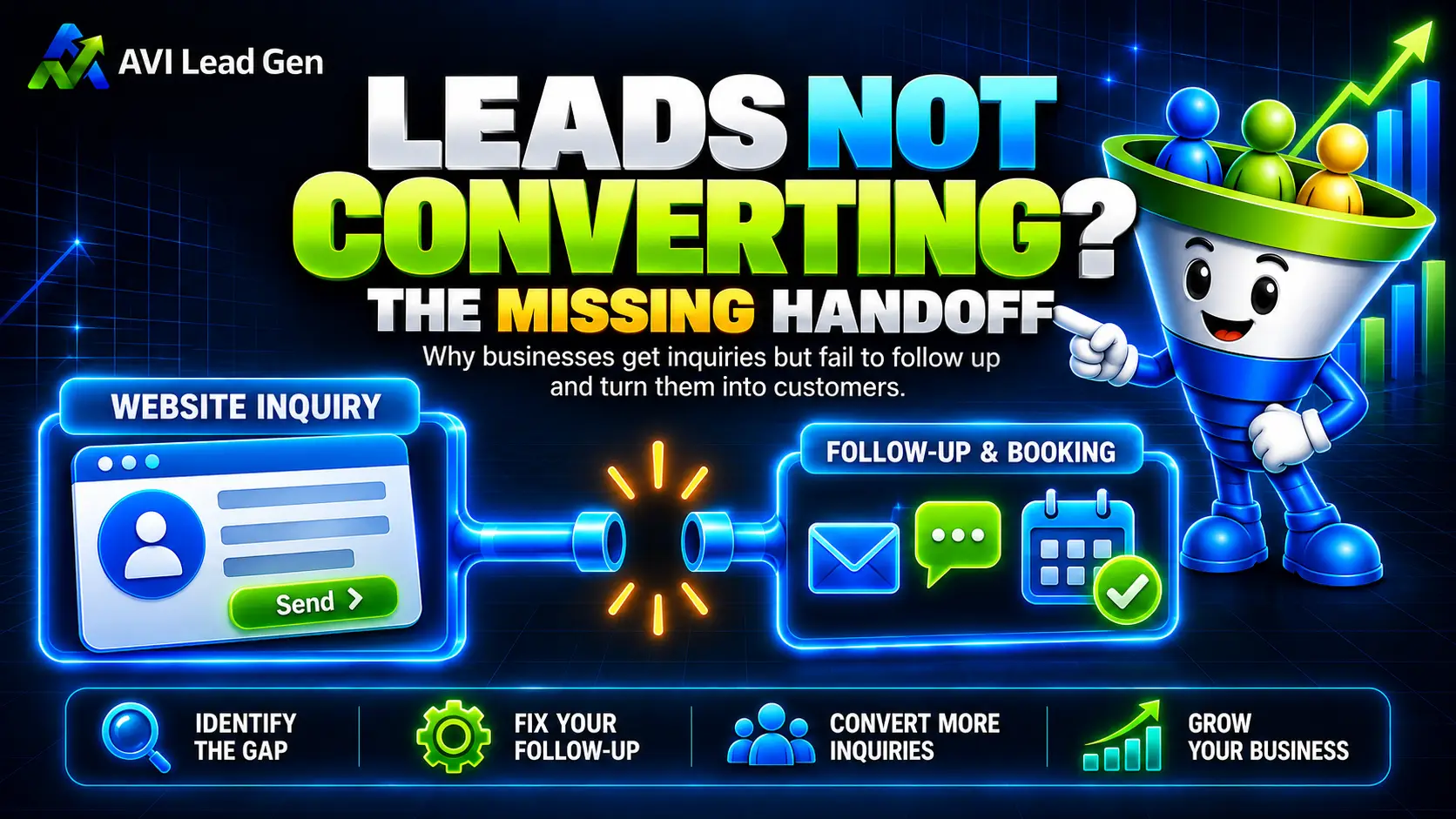
6. Leads Fall Into a Black Hole After They Submit
This is where the website-only view of lead generation breaks down.
A visitor completes your form.
Now what?
If the answer is “someone gets an email,” you don’t have much of a process.
A connected lead generation system can:
- capture the contact in your CRM
- record what they requested
- preserve useful source information
- notify the right person
- send an appropriate confirmation
- route the lead based on fit and intent
- provide a logical next step
- create follow-up when the prospect doesn’t move forward
That doesn’t mean everybody needs twenty automated emails.
Automation should support the conversation, not overwhelm it.
The goal is consistency.
Someone who raises their hand shouldn’t depend entirely on whether the right employee happens to notice an inbox notification during a busy day. What happens after a lead fills out your website form matters.
Your website generated the inquiry.
Your CRM and follow-up system protect the opportunity.
Response speed still matters here, but speed without relevance isn’t the goal. A fast confirmation plus a clear next step is more useful than an instant generic sales pitch.
7. Interested Prospects Can’t Easily Book the Next Step
Some businesses turn website leads into booked appointments and then immediately introduce another round of friction.
The prospect fills out a form.
You email them.
They reply.
You suggest Tuesday.
Tuesday doesn’t work.
You suggest Thursday.
Three days later, the conversation is still about calendars.
For the right type of service business, online appointment booking can shorten that path.
A booking system can support:
- available appointment times
- confirmations
- calendar invitations
- reminders
- rescheduling
- meeting instructions
- CRM updates
- follow-up workflows
That doesn’t mean every visitor should receive unrestricted access to your calendar.
Some businesses should qualify leads first.
The important question is:
What should happen once someone shows interest, and have we made that path harder than necessary?
8. You Treat Every Lead the Same
Not every website lead deserves the same next step.
A prospect asking about a high-value engagement isn’t the same as:
- an existing customer
- a vendor
- a job applicant
- a referral partner
- someone outside your service area
- someone who downloaded an early-stage resource
If all of those contacts land in the same inbox with no context, someone has to manually figure out what each one is.
Qualify leads automatically, before the sales conversation.
You might ask about:
- service needed
- location
- company size
- timeline
- project type
- current situation
- budget range when appropriate
Those answers can help determine what should happen next.
For more developed systems, qualification may also include CRM tags, segmentation, scoring or routing.
The purpose isn’t to interrogate every visitor.
It’s to collect enough context to move the right opportunities in the right direction.

9. You Aren’t Tracking Where the System Breaks
Without tracking, “the website isn’t working” is mostly a feeling.
You need enough information to locate the problem.
A service business may want to understand:
- which pages attract visitors
- where traffic comes from
- which CTAs get used
- which forms are submitted
- which consultations are booked
- which resources are requested
- which sources produce qualified inquiries
- which leads eventually become customers
This is where analytics and CRM data complement each other.
Analytics tells you what happened on the website.
Your CRM helps tell you what happened to the person afterward.
Suppose one source produces ten inquiries and another produces twelve.
If the first source produces several serious opportunities and the second produces none, traffic or form volume alone wouldn’t tell the full story.
You don’t need to track every event simply because your software allows it.
Track the events that help answer:
Where are opportunities coming from, and where are we losing them?
That’s useful conversion tracking.
How to Fix a Website That Isn’t Generating Leads
Don’t start by randomly rewriting pages, buying ads or rebuilding everything.
Work through the path in order.
1. Verify the Right People Are Reaching the Site
Review traffic sources, search queries, geography and landing pages.
If relevant prospects aren’t arriving, address visibility first.
2. Review Your Messaging
Look at the site as someone unfamiliar with the business.
Can they quickly tell what you do, who you help and why it matters?
3. Follow Every Conversion Path
Act like a prospect.
Can you find the CTA?
Does the offer make sense?
Does the form work?
Can you book?
4. Test What Happens After Submission
Complete your own forms.
Confirm the contact reaches the CRM, notifications arrive and the prospect receives the intended next step.
5. Review Booking and Qualification
Determine whether good prospects can move forward easily while poor-fit inquiries are routed appropriately.
6. Configure Meaningful Tracking
Don’t stop at page views.
Track actions representing genuine progress, such as inquiry submissions, consultation requests and booked appointments.
7. Fix the Weakest Connection First
You don’t need to rebuild everything simultaneously.
Find the stage most likely to be blocking the next step, improve it, collect data and continue from there.
For a broader system-wide audit beyond the website itself, AVI also has a dedicated lead generation system audit process.
What a Complete Website Lead Generation System Looks Like
So how do you generate leads from a website?
Not with one headline.
Not with one contact form.
And not by simply increasing traffic.
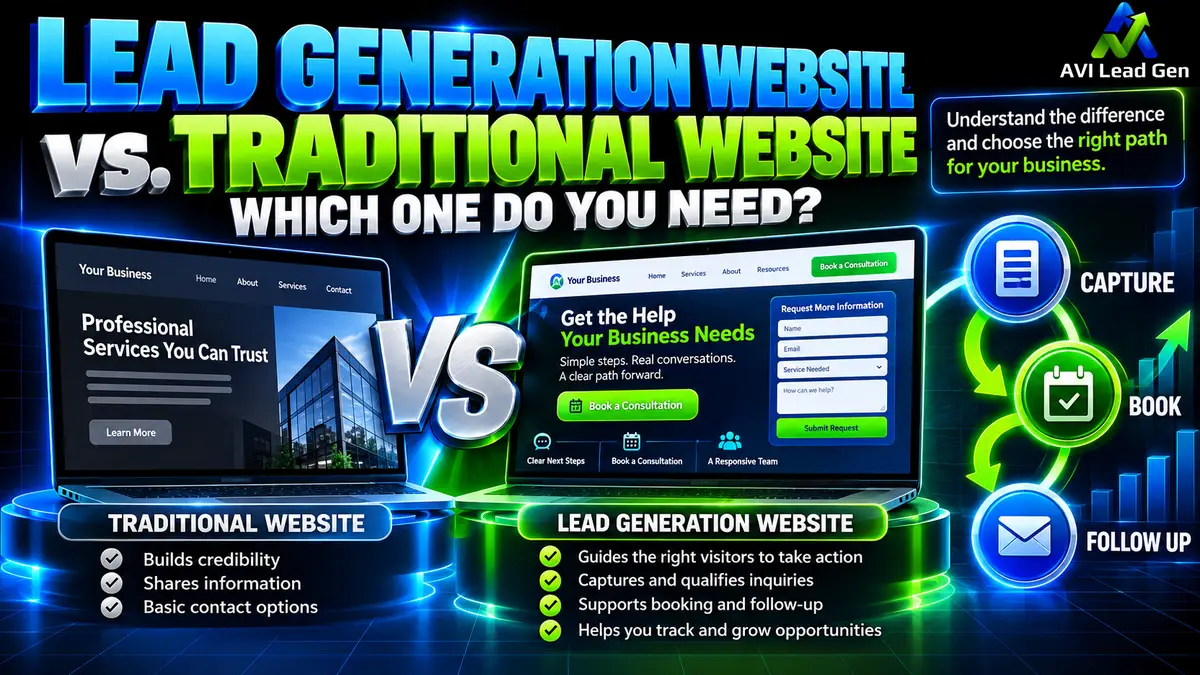
A complete website lead generation path connects:
Traffic → Messaging → Trust → CTA → Lead Capture → CRM → Follow-Up → Qualification → Booking → Sales Process → Tracking
The website sits near the center of that journey, but it doesn’t operate alone.
That’s what separates a collection of web pages from a true lead generation website.
When the pieces connect, you can stop asking the vague question:
“Why isn’t my website working?”
and start asking better ones:
Where are people dropping out?
Which sources produce qualified prospects?
Are leads receiving the right next step?
Are qualified prospects booking?
Which changes actually improve the process?
That’s how you move from guessing to managing your lead-generation system.
Frequently Asked Questions
Why is my website not generating leads?
There are several possible causes.
You may not be attracting enough qualified visitors, your messaging may be unclear, visitors may not trust the offer, your CTA or forms may create friction, or leads may be getting lost after they submit.
Start by identifying the stage where prospects stop moving forward instead of assuming the whole website needs to be rebuilt.
Why is my website getting traffic but no leads?
If the traffic is relevant but very few visitors take action, investigate the conversion path.
Review messaging, trust signals, CTAs, forms, offer alignment and what happens after submission.
If the traffic itself isn’t relevant to what you sell, then you may have both a traffic-quality problem and a conversion problem.
What makes a good lead generation website?
A good lead generation website helps the right visitor understand the offer, trust the business and take an appropriate next step.
Behind the site, lead capture should connect with CRM tracking, follow-up, qualification, booking and measurement.
Do I need a CRM to generate leads from my website?
You can receive inquiries without one.
But CRM follow-up becomes increasingly useful as lead volume grows because it helps organize contacts, preserve source information, track status, segment prospects and manage follow-up.
Should I add online booking to my website?
For many consultation-based businesses, booking removes unnecessary scheduling friction.
But it doesn’t need to be available to everyone. When fit matters, qualification can happen before a prospect reaches the appropriate calendar.
Can I improve website lead generation without rebuilding my entire website?
Often, yes.
A rebuild can make sense when the site’s structure, technology or positioning is fundamentally wrong. But many website lead generation problems can be addressed individually through messaging, CTAs, forms, proof, booking, follow-up, tracking or specific landing pages.
Diagnose first.
Rebuild only when the diagnosis justifies it.
Ready to Build the System Behind the Website?
Your website shouldn’t have to perform every part of lead generation by itself.
It should connect the pieces.
Ready to stop guessing and build a lead generation system that works around the clock? AVI Lead Gen helps small businesses capture leads, automate follow-up, and turn more website visitors into real opportunities.